Featured KHA 2023 SS Camaro - SQ Build Log

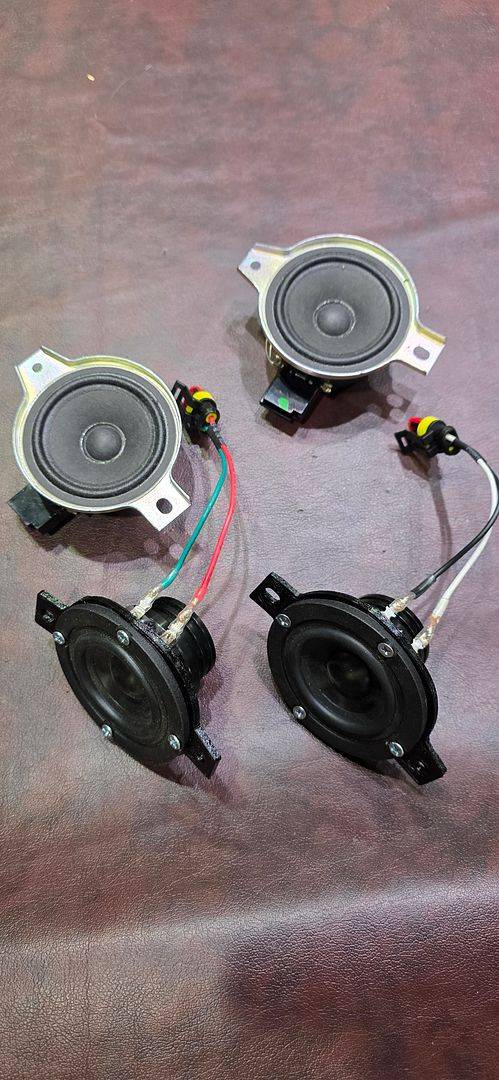
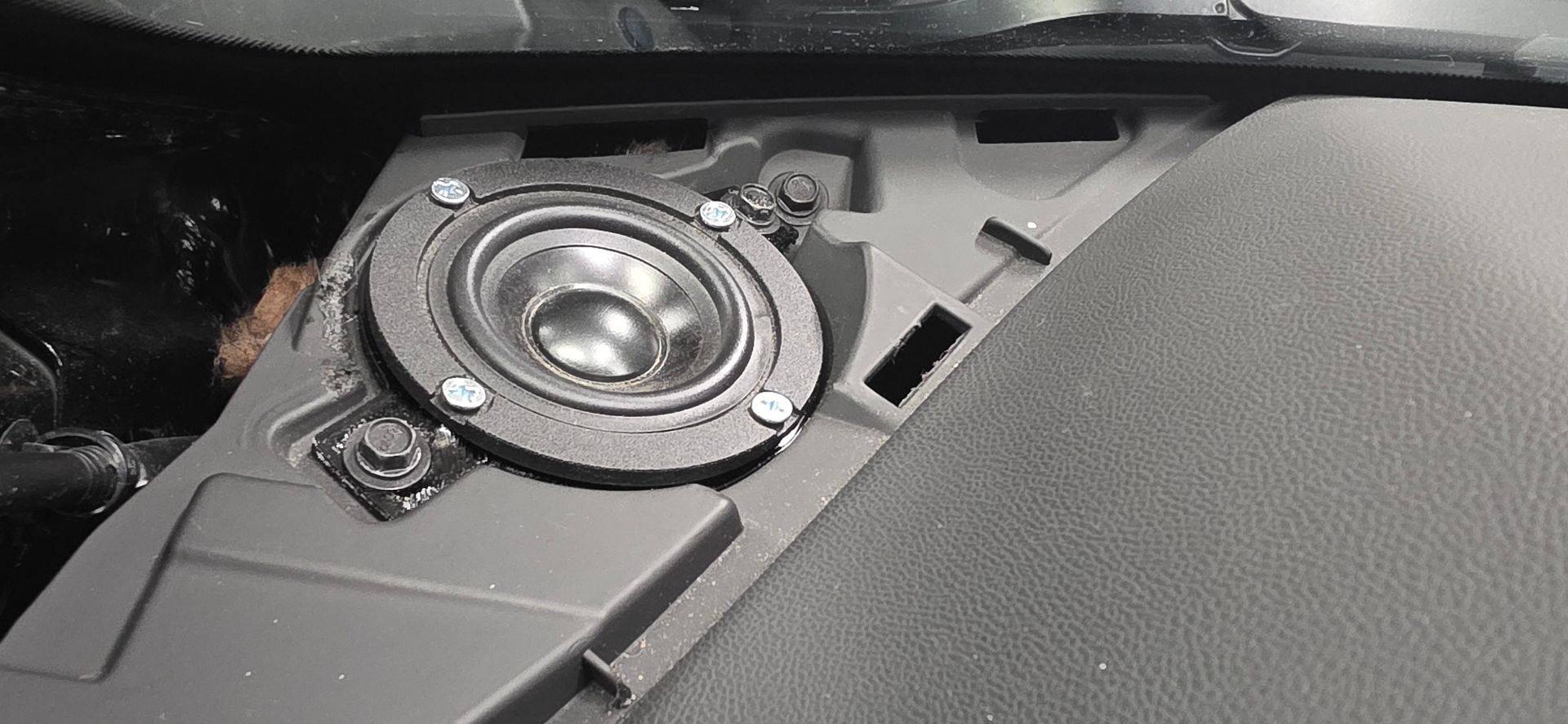
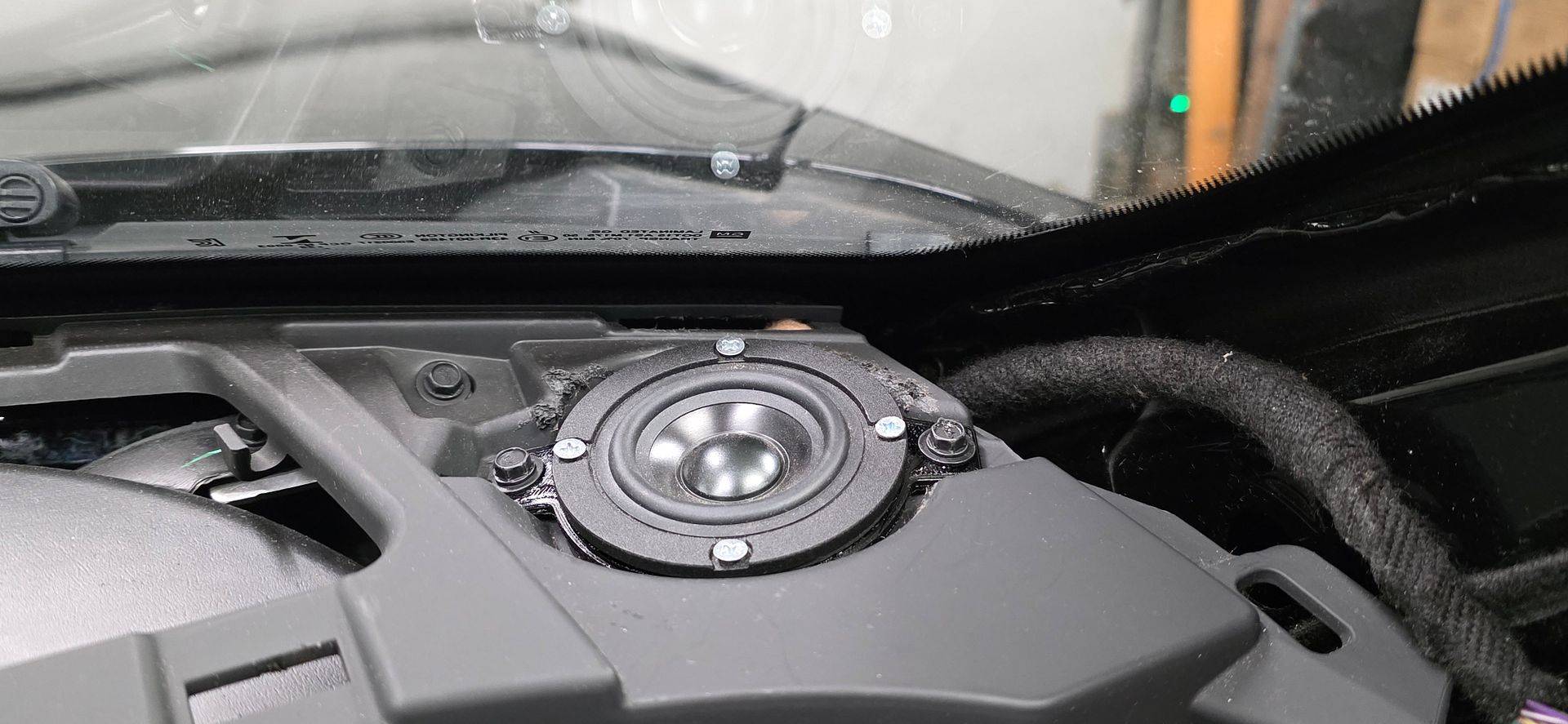
I designed and 3D printed mounting adapters for the dash wideband drivers, and installed my quick adapters.
cd7f10f6-703c-4ad4-af2a-48c8c5ce2fd0.jpg


d1f5e530-31ec-4b21-9595-af5d4ba4da26.jpg


8d30179e-3920-4680-9838-3477735d18d8.jpg


The result is ok, but not up to my standards. While a wideband driver is a clever solution that can perform well, I would like this build to be a bit more special.


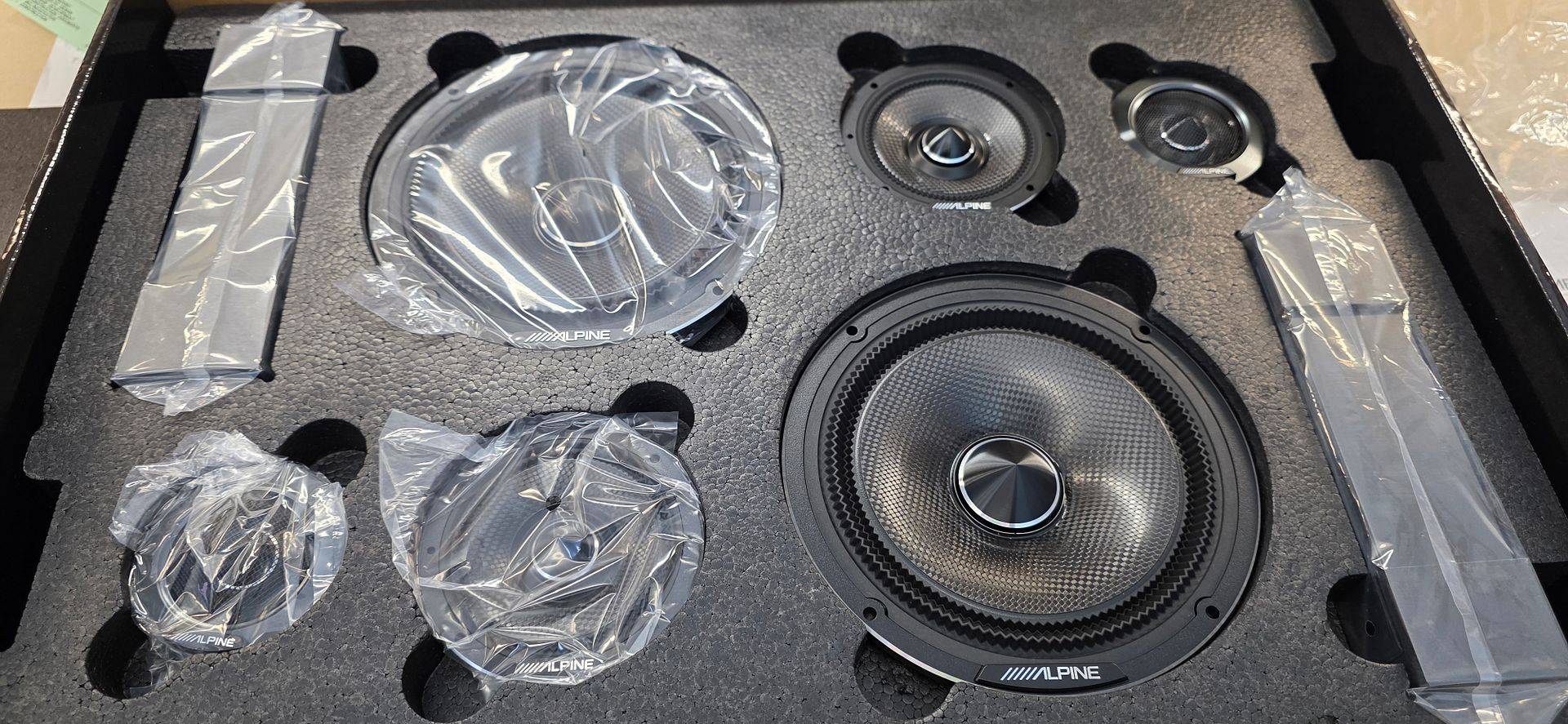
So I have a new set of speakers to install next! These are beautiful.
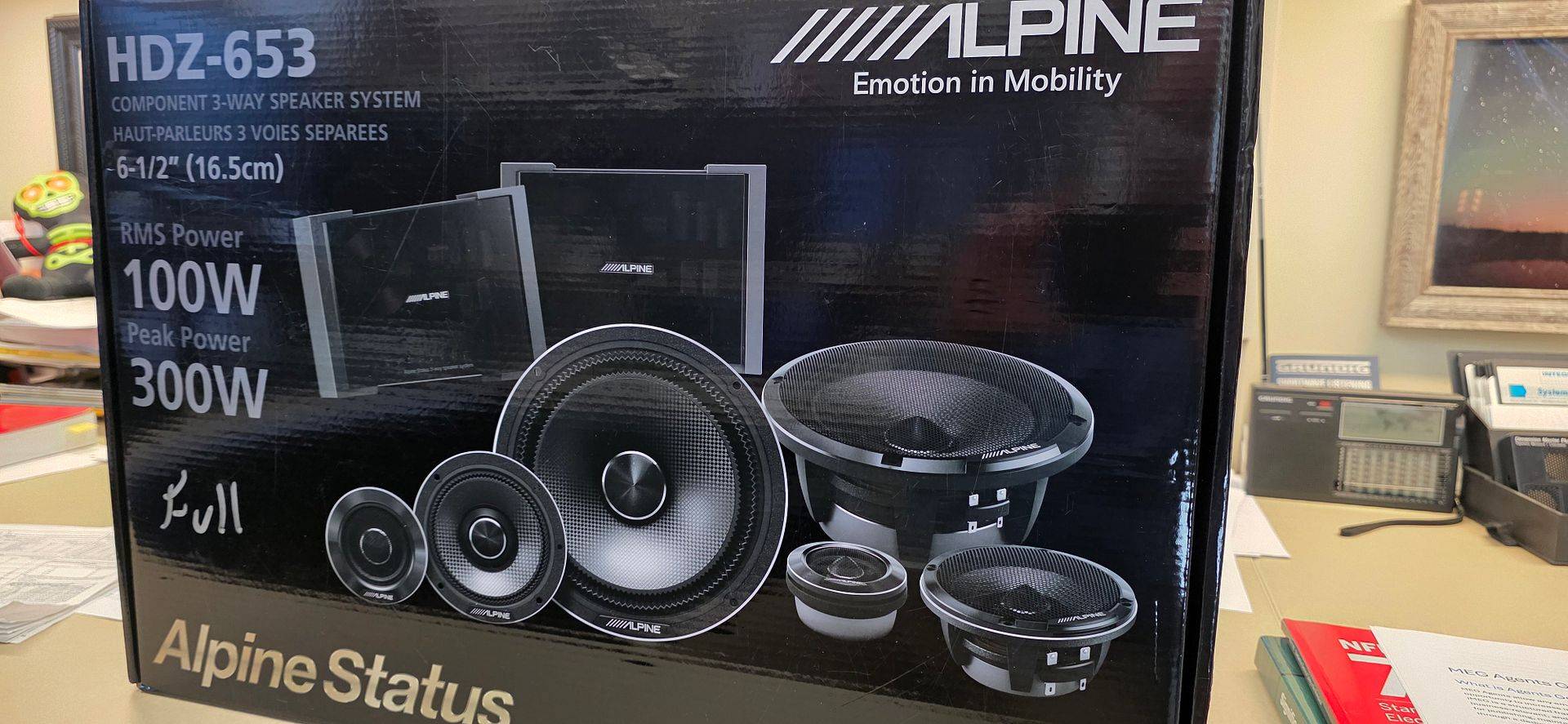


83ea3b49-f904-4ed0-b758-098f47756d0a.jpg


b6bda995-9088-4769-bc52-f11d573b80d0.jpg


I will start designing pods for the mid and tweeter off the a pillar. This is tricky due to the dash and limited space on the driver’s side. Normally, we’d keep the mid/high as low as possible, closer to the dash. This won’t allow that, so as they raise up, they also get closer. This will be a departure from the factory tuning and I’ll need the cleanest signal to start with.


I am moving from MVi amplifiers as well, likely, and am saving a JL VX600/6i that needed a new input connector. I decided to build my own connector.
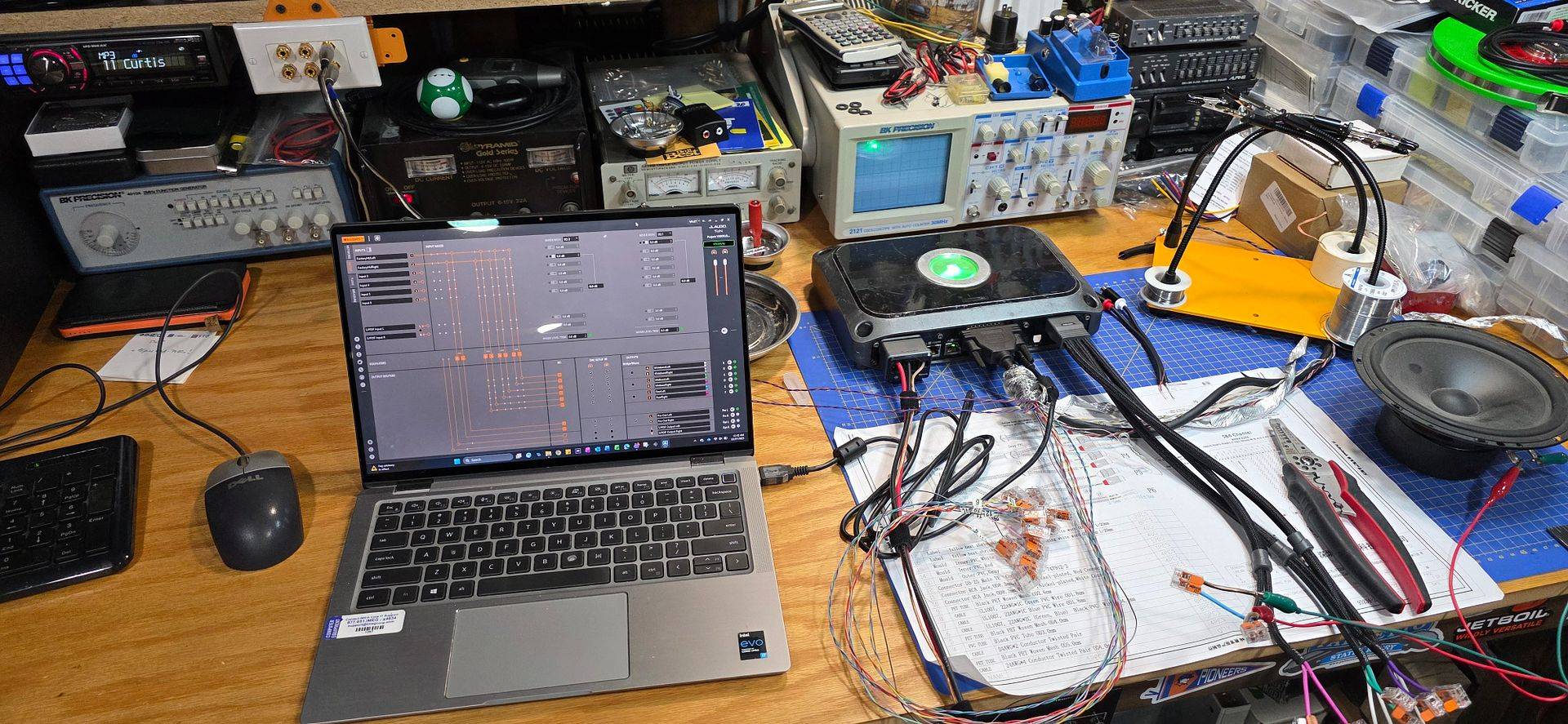
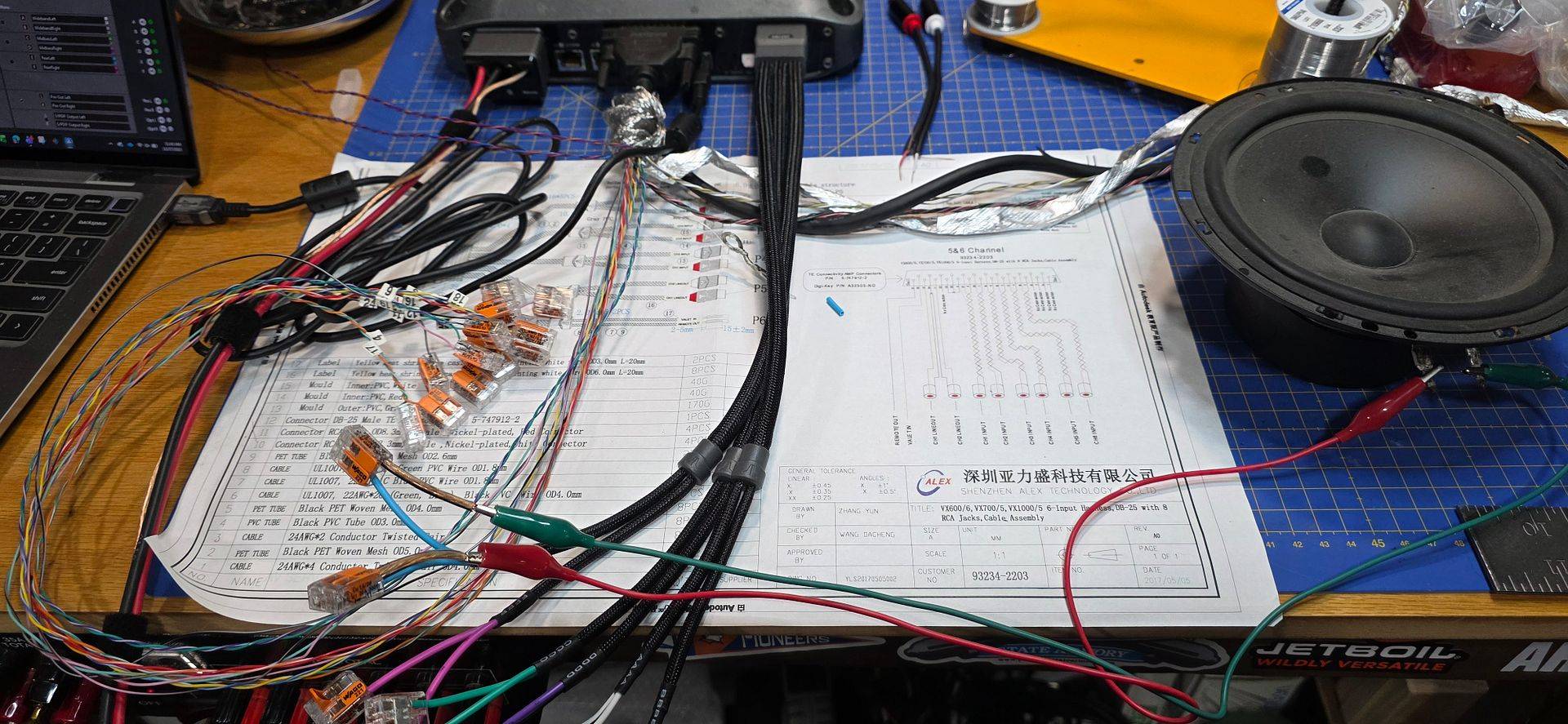
cbc1764d-f038-498a-a0b6-2ef4487b985b.jpg


c9012ddd-2643-423c-af6a-6e36f88e5108.jpg


Another option is my pair of xtant 3300C amplifiers. These are 15lbs each and 22”x10”x6” at 60Wx2 and 180Wx1 old school power ratings. They are currently being restored then modded for daily use at 25+ years old.
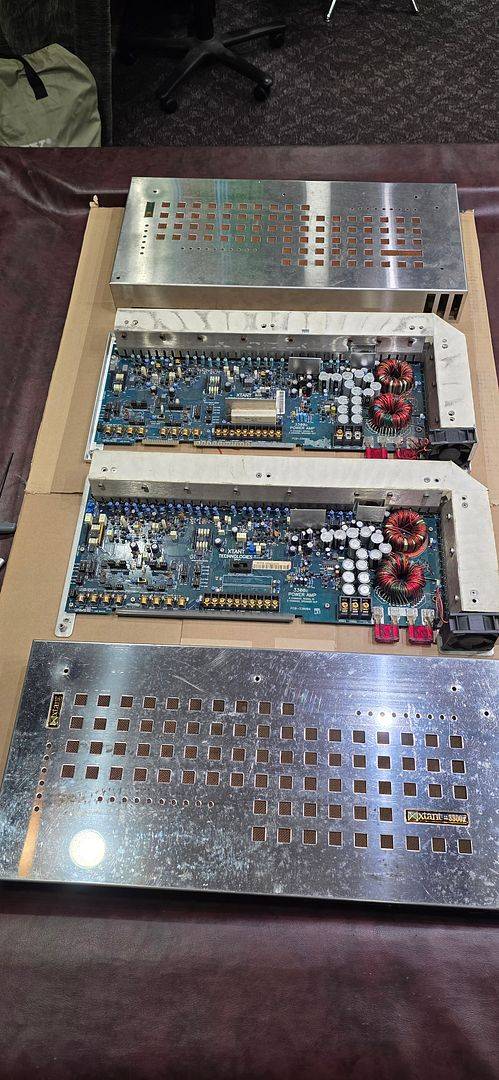


52487471-28fd-40f0-8c75-32ac69274235.jpg


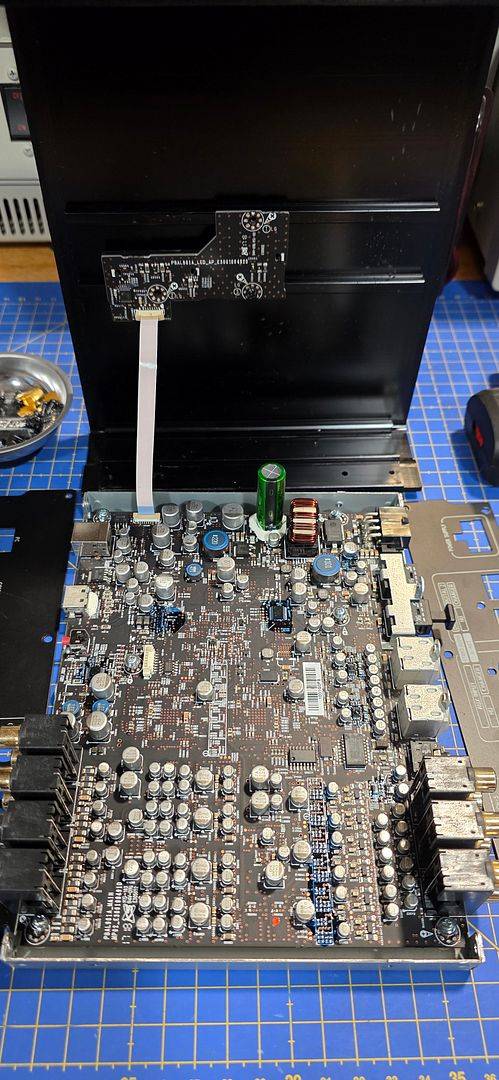
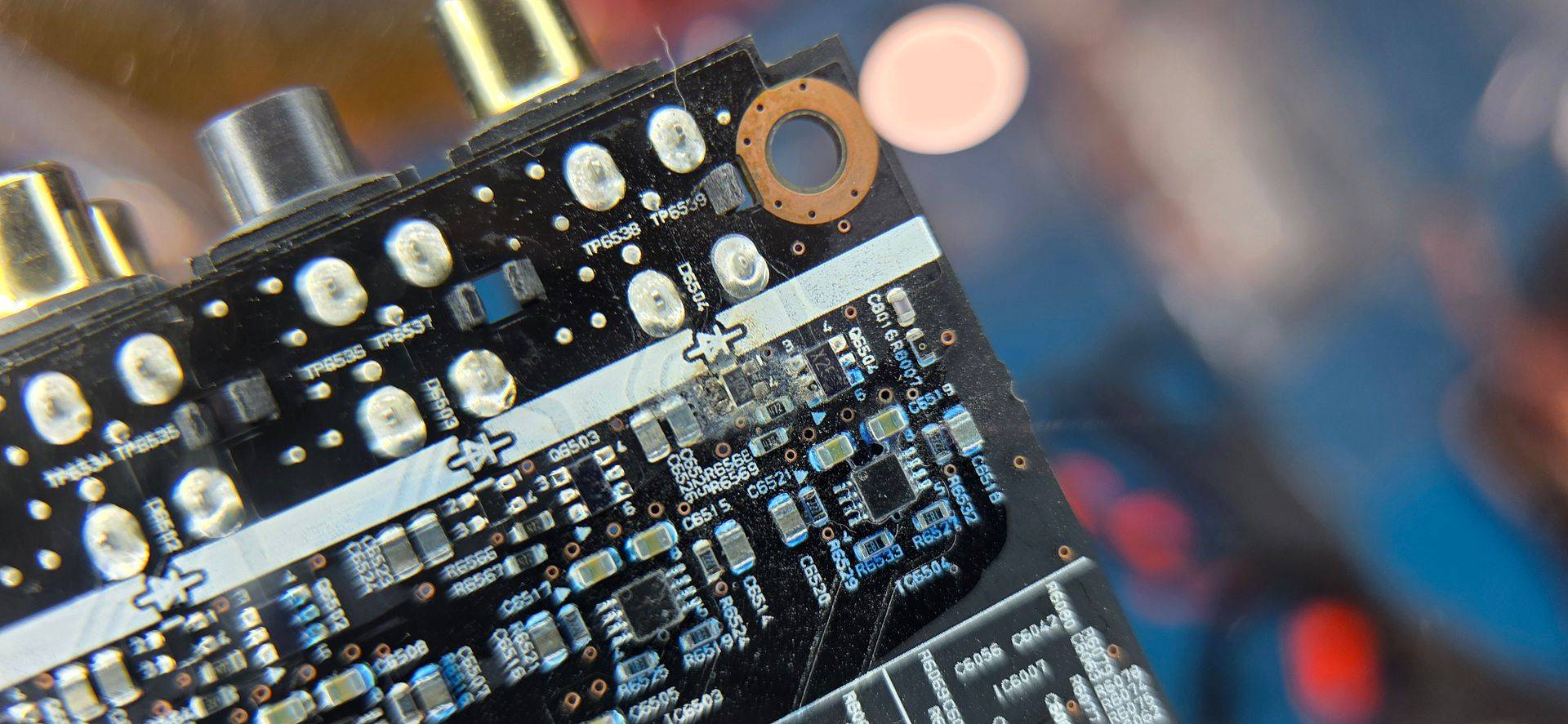
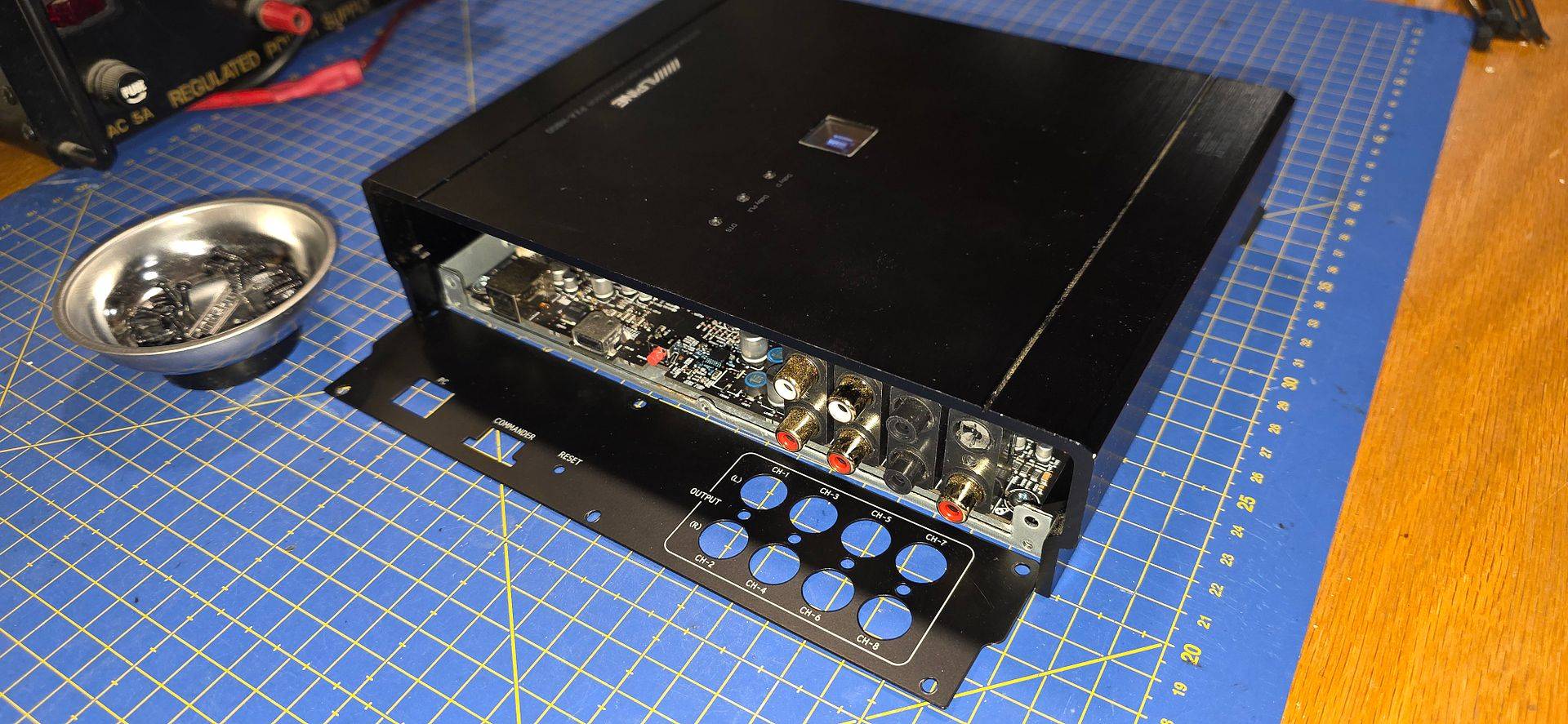
And to control those, I picked up an Alpine PXA-H800 processor that needs a bit of TLC.


6a196821-9ade-4048-bcf5-38c1f0337539.jpg


06d59e26-656f-4bc2-ac3b-23999cbe7012.jpg


7241c18a-a19d-44f6-ba4d-d0f9d86c9d02.jpg
 
We want to run a 3-way active front stage whenever possible, this is challenging in most cars and the Camaro is no exception. I decided to use the PolyCam phone app on my Galaxy S25 Ultra to map the pillar areas. This is what the result of the scan looks like initially.


43c93bfd-5461-40f1-b8c2-ae832b2ce9b3.jpg


We export the scan as an OBJ (requires paid subscription) then import into our 3D modeling software. While I love Fusion 360, I’m using OnShape since it’s free and I teach a 3D printing class and will be focusing on advanced techniques like this. In OnShape we import the scan then we model our pod faceplate and place where desired.


7d043d26-2626-4f5f-b25d-608e0055e45f.jpg


Then we use the scan to trace the pillar shape, then use the LOFT command to connect the pillar surface to the pod faceplate.


aba637e1-31b2-48fb-82b8-3b03d932a8ae.jpg


This process allows me to do virtual mockups and print a complete pod that secures to the face of the pillar which allows for testing and experimentation before landing on a final arrangement. It’s likely the final configuration will still be a surface pod like this and not a traditional fiberglass pod into the pillar.


20f978a2-6e2c-4a79-acaf-76638137d4b5.jpg


Prototype V1 is printing now and I’ll see how it looks later tonight.
 
Version 1 had the right overall shape but the pods were too shallow for the speakers. It did let me verify placement and overall impact to visibility.

64e7c172-207a-4cd2-bb4b-79103c2ff922.jpg


21057d84-e536-4291-8076-52cb982cdf68.jpg


The second version was deeper and fits the speaker perfectly. It needs sanding and finishing but is usable for actual in-car testing.


122ec4f1-abde-4871-bc65-892a200ad371.jpg


0967153e-3034-4c11-9637-0b29e2cb142c.jpg


Overall aiming is as intended. I will design and print a third version that moves the tweeters to the outside, closer to the side mirror. This will move them away from the windshield and improve visibility. I’m curious how the sound stage depth will be impacted with each arrangement.


5ff1c71e-dc81-4507-92f2-9cc5929e94d0.jpg
 
Installed the speaker pods and the initial fit is ok. I will definitely design revisions after testing.


Mounting the pods to the pillars was accomplished with a pair of threaded lamp rods.


0d122c88-8f0e-450c-9abe-7c5202266056.jpg


d8db7e5a-0007-45ce-90e1-ca50230945e5.jpg


33b45267-6e48-424d-af84-1b567d853b81.jpg


dff74d93-80b5-4650-89f4-90f482dca86d.jpg


1d9d9116-f280-425c-9901-1de3c2dd4af4.jpg


e3b86cdc-9f3e-42e5-a9cc-91c419991867.jpg


The result is aiming that I am excited to experience.


e4f1d39d-7833-4cd9-aa1b-bd1a134ce629.jpg


0955c170-97e0-4d33-b6bd-3016941dfc2d.jpg
 
Last edited:
I also needed to remove the 6x9 midbass and swap with the new Alpine woofers. I use a gasketing material around the speaker and I solder the adapter to the speaker leads.


91d1c8f9-2d26-4a02-8919-fd1a016c9adc.jpg


f7f5f7ba-8167-4ee1-b1c1-d4fe469eaace.jpg


The speaker grills look great and I see a future where I will integrate these into the door panels to move the woofer closer to the door and reduce roll-off.


3dc5db0f-4631-4c23-a0a1-e8e3ae0e0df2.jpg


5c0b2670-413f-4f09-ab6c-5521368d696b.jpg


17e33ff0-e29d-454b-b242-8bb756a58414.jpg


cc11e58a-cae5-4725-b907-fe2f774817f7.jpg


I rebuilt the amp rack to put the JL VX600/6i at the rear with the MV1000/1 in front. You may also notice the Helix HD BT that is resting on the wheel well, which will be secured and will be my input to the amp/dsp to bypass the stock radio madness.


185f5d24-0ef3-4271-a538-92489c4ac10d.jpg


c2c4c4b1-aae5-425b-8e15-2beb091227ad.jpg


And in the near future, I am looking to move from the JL VXi to Alpine. I am repairing a PXA-H-800 DSP


a22637e0-1bf3-4bd8-b2cb-700992d815f8.jpg


And I added a MRV-1505 to my collection. When paired with my MRV-F405 I am just 2 channels short of old school, made in Japan goodness.


6e6200ea-8ba6-4e7f-83a1-5e3163e37431.jpg
 
Future plans include swapping the amplifiers and DSP to Alpine with my recently collected set of V12 Expert amplifiers. MRV-F405 for mids and tweets, MRV-1005 for midbass, and MRV-1505 for subs. The well in the trunk will be used, and luckily this planning and construction can occur while the JL amplifiers are neatly hidden away.


0bbb6100-cb80-4cb8-a9e8-a963fd4dd139.jpg


7b9aa6df-6832-4f5b-97b1-561ffb34008f.jpg


Dimensions of the trunk well:

c41fed19-e963-42dd-915a-769fc4f52a3e.jpg


18dcade2-423a-4faa-b3a5-b8d8a2f8dd58.jpg
 
I have a history of liking trunk baffle sub installations. Back in 2010 I fiberglassed a frame into my 2001 Accord and ran a variety of subwoofers. With the Camaro space constraints, I’ve decided to do the same thing. I’ve already sealed up the trunk, so the challenge here is getting the woofers sealed to the opening. I’ve decided a non-destructive approach.


First step was constructing the woofer baffle. The sizes allowed the frame to fit into the trunk.


bdbca6e8-b806-410c-8b66-7851bf2ed956.jpg


a13c5bd0-842b-43a3-b4db-ec43086c9ade.jpg


Making holes is easy with the Jasper Jig!

50ba9242-8ff1-406f-b3ba-c0e77c1c31ef.jpg


Double front baffle with pocket screws for the frame.

172ddb2b-c147-43b2-aae4-309958dea8e4.jpg


2027b01b-95d7-4f8d-8d7f-fc36849eaeaa.jpg


From the trunk side, we don’t lose much depth. There will be separate panels made to seal against the trunk sides, along with a front beauty panel that will have a bowtie cutout for protection and aesthetics.


495b0562-20a5-4cc6-baf9-5c5bbcdf8517.jpg


Next, we need to adapt the frame to the rear opening. My first thought was to use wood shims to rough-in the transition, but that idea didn’t really pan out well.

978e1349-783b-460c-9ab3-cccc447e8bc8.jpg


304fd24c-e33d-487e-a27c-acbf44f1b0fd.jpg


I don’t have much distance to makeup.

a2a66e57-08fb-422d-8c89-b90b199ee5be.jpg


5cf28237-abc4-42bd-82ac-91a6c5434eab.jpg


1764fb04-162f-4243-8f14-88df1069cbe8.jpg
 
So I decided to make a plug then open the middle and glass between the plug and the woofer frame. So the first step was making a template.


ad0d9a8a-fbc6-4d04-8f76-9001db13a747.jpg


But a hole is boring, so I decided to make it attractive (will be LED backlit)

9dd2836a-1004-4469-bd04-a68fc704a2b0.jpg


Mock-up

24b91686-63d3-42e4-a512-6e28510ca2e3.jpg


I used spray adhesive to hold the paper to the board.

fcce157c-5716-4ad2-8476-4138a371b76b.jpg


The adhesive held the paper down so I could spray paint the outline. I first painted it black then I wanted to shift the cutouts so I painted the new location gray.

ea8185a2-b348-44ed-a22a-12f969bde097.jpg


With the plug cutout and in the opening, the next step is to temporarily connect them. I put a quick roundover on the cutout to help with carpet transitions (which will be used). The thin sections look wonky due to the slight roundover, but they are actually straight 😊

68333afd-4b9e-45cf-8b66-a80726e5274b.jpg


I used a few 2x2 to hold the panels together so I could remove the assembly (which can be removed through the trunk opening).

81795249-301d-4501-a6b2-72e3eec57735.jpg


Next, fiberglassing can commence! This woven mat is just a base layer (instead of typical fleece). This won’t be seen but needs to be rigid and airtight. After this photo I replaced the 2x2 with pocket screwed birch boards that can be left in place while keeping the relationship firmly planted.

07ceae97-0112-448c-b618-3aae437dcea3.jpg
 
Planned: Stabilizing Alternator Output at ~13.8V on my 2023 Camaro 1SS (Smart Charging Bypass for Audio)

I’m in the middle of building out my audio system and want consistent charging voltage in the 13.8–14.0V range for optimal amplifier performance without overcharging the AGM battery. Like most modern GMs, the 2023 Camaro has a smart charging system that varies alternator output. Here’s what I’ve learned and my plan to fix it.


What We Know About the System


The Camaro uses a Hall-effect Battery Current Sensor on the negative battery cable in the trunk. It’s a 3-wire sensor (5V reference, ground, and PWM signal) that sends a ~128 Hz PWM signal (duty cycle typically 5–95%) to the Body Control Module (BCM). The BCM uses this data along with voltage and temperature to control the alternator via the L-terminal.

From the service manual, the alternator responds as follows:

c1f62ce9-f0d3-4353-97e6-11a442e93bae.jpg


  • 0–5% or 95–100% → 13.8V (diagnostic/fallback mode)
  • ~60–70% range → roughly 13.8–14.0V (my target zone)
When I temporarily unplugged the sensor, voltage climbed to 14.8V — too high for comfortable long-term use. You can see the current sensor in this photo (on the ground wire):

0a27ed28-c17b-4a1f-ab52-e05db1e18ac2.jpg


The sensor is in the schematic as shown here:

eefe921c-5122-4eff-ae64-b9f243948d6f.jpg


7d29f966-9ab5-435b-b6d4-d2a9ff812091.jpg


The BCM has fallback logic: when it loses the current sensor signal, it switches to voltage-only load shed and idle boost tables.

Options I Considered

  1. Simply unplug the sensor – Easiest, but gave me 14.8V (too aggressive).
  2. Route amp negative cables through the sensor loop – Keeps everything stock and lets the BCM see real load. Issue here is the stock ground wire current direction may be different than the audio system current direction, it lengthens my ground wire substantially, and will still result in voltage fluctuations.
  3. Resistor bias on the signal wire – Doesn’t return PWM.
  4. 555 timer PWM circuit – Viable, but less precise and unable to be tuned or adjusted easily.
  5. Arduino Nano Every PWM simulator – Cleanest and most adjustable solution. Allows precise 128 Hz PWM with live visual feedback.


My Planned Approach


I’ve ordered a 3-pack of Arduino Nano Every boards. I’ll use one to build a PWM simulator that tricks the BCM into seeing a moderate constant load (~60–70% duty cycle). This should hold voltage steady in my desired range while keeping the BCM in normal operating mode as much as possible.

Hardware I’ll be using:

  • Arduino Nano Every
  • TM1637 4-digit 7-segment display (to show real-time duty cycle percentage and another for voltage)
  • 10kΩ potentiometer for easy tuning
  • Pushbutton to engage 7-segment displays
  • Small perfboard + enclosure for trunk mounting
Planned Wiring:

  • Power and ground taken from the sensor’s 5V reference
  • PWM output on D9 injected into the signal wire (5076 BU/VT) going to the BCM
  • TM1637 display on D2/D3


I’ll start with a reader board to see exactly what frequency the factory current sensor outputs. That process is outlined in this video:


Then, I’ll the build the Nano arrangement and set to ~65% duty cycle and fine-tune while monitoring battery voltage with a multimeter and OBD scanner.


Next Steps in my Build


  1. Use a reader sketch to measure the actual frequency and duty cycle behavior on my car
  2. Build and install the PWM simulator
  3. Install the new Platinum AGM H6 battery
  4. Tune for stable 13.8–14.0V under heavy audio load
  5. Monitor load shed / idle boost behavior and long-term reliability


I’ll update this thread with progress, test results, final code, photos, and any lessons learned. If anyone has done something similar on a 6th-gen Camaro (or other GM), I’d love to hear your experiences.
 
Activity
No one is currently typing a reply...

About this thread

keep_hope_alive

Premium Member
Acoustics Engineer
Thread starter
keep_hope_alive
Joined
Location
Quad Cities, IL
Start date
Participants
Who Replied
Replies
54
Views
9,918
Last reply date
Last reply from
keep_hope_alive
1778578257023.png

Glen Rodgers

    May 12, 2026
  • 0
  • 0
Screenshot_20260511_212804_Amazon Shopping.jpg

Blackout67

    May 11, 2026
  • 0
  • 0

New threads

Top