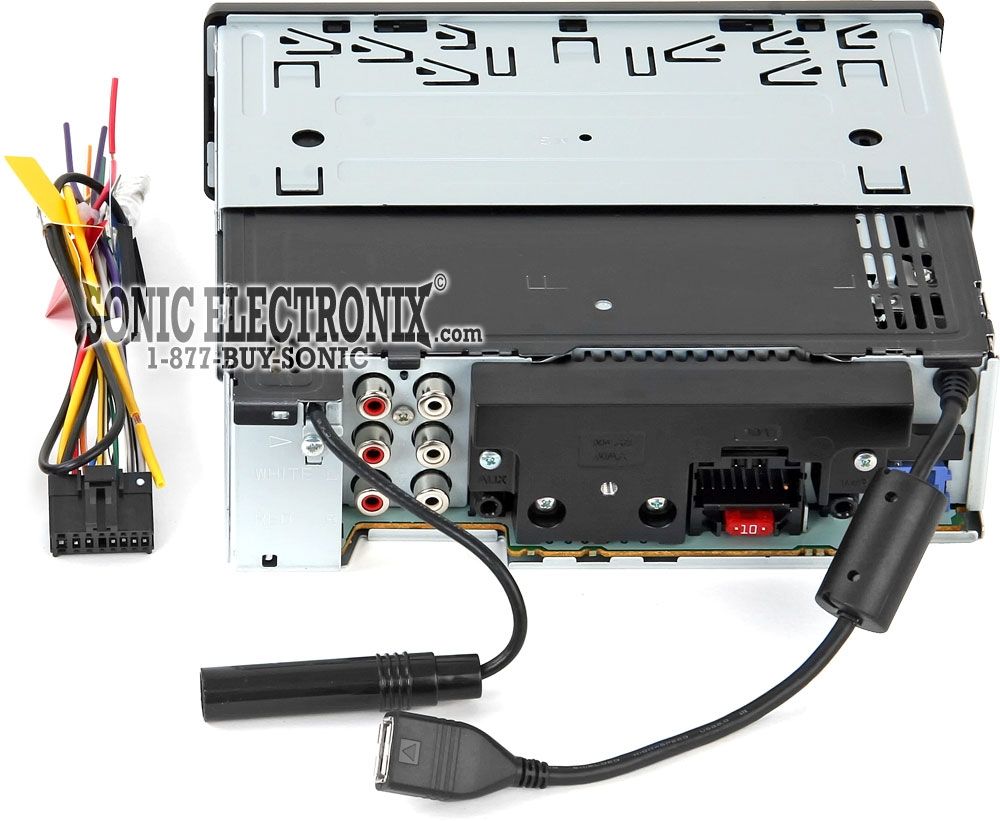
You can pull your HU out just a bit, and see which is L, and R real quick.Most dashes just pop out these days.I can take my dash apart in like 2min.Bass Knob i myself would turn it to 0 all flat atm.Set Everything flat, and go from thereIMO
You can turn it up just a little, but bass boost is only when you need it, on high or even 1/2 may make the amp run hot, but you can adjust the gain for it.If you are running mono, for the rca, it may be ok for now, but I dont know what Hu you have, and if the connections are pigtails, or flat hu connections?Best change it though.Just make sure you have the gain down before you fire that joker up, not knowing what sub you have.So take your time.Safe the hertz at 34 what I use, Gain goes no more than half for me.
Well, red is on your rigt looking at the face of the HU, but you still need to know which of the RCAS is on which side.Pull one out, or follow one side see which color it is,for left or rt.Colors dont really matter just as long as you got the same from hu to the amp.I always mark my rcas with tape ect, so I know what goes where, as I generally have 4-5sets of rcas
i posted a pic of my hu, which color would be left/right ^^^^
but im not talking about bass boost, im talking about the remote, the separate volume for bass
Ya thats a bass boost knob, it connects to the amp with like a telephone cord, and put next to you to boost up the bass.You can set it at )9oclock and tune your gain up .I generally go by ear setting my stuff, but alot on here are using DMM, I listen for the distortion point then back of approx 1/4 turn or 1/8, at the max I will be listening to by vol knob on the hu, with 0 on the bass,
and oh the knob is bass boost? ik there is bass boost gain on the amp iteslf which i wont touch..but i thought the knob controlled the loudness of the sub itself
well you have it both ways to be honest,with the knob.alot of amps dont have a knob for bass boost, but some amps do.It will control the sub bass boost,thats what it does, and is for...boost!.setting your gains to the hu max you intend to listen too without the boost will allow you to utilize the boost to the needed extra bass you may not have on certain song/music.You control the extra bass you need with that knob, but using it all day long, and it may make your amp run hot, time to adjust the gain, and or add additional sub to make up that difference, as you will Im sure.//content.invisioncic.com/y282845/emoticons/awesome.gif.4430a219d9aaaa6cadc75e9290979dfb.gif