
HandsomeSteve
CarAudio.com Recruit
Difficulty w/ connecting backup camera
Head unit is 2009 Pioneer AVIC Z110BT using a RP4GM11 adaptor.
Have cameras power an RCA video signals power both connected to the green reverse wire at tail light. 05 Chevy express 3500 van.
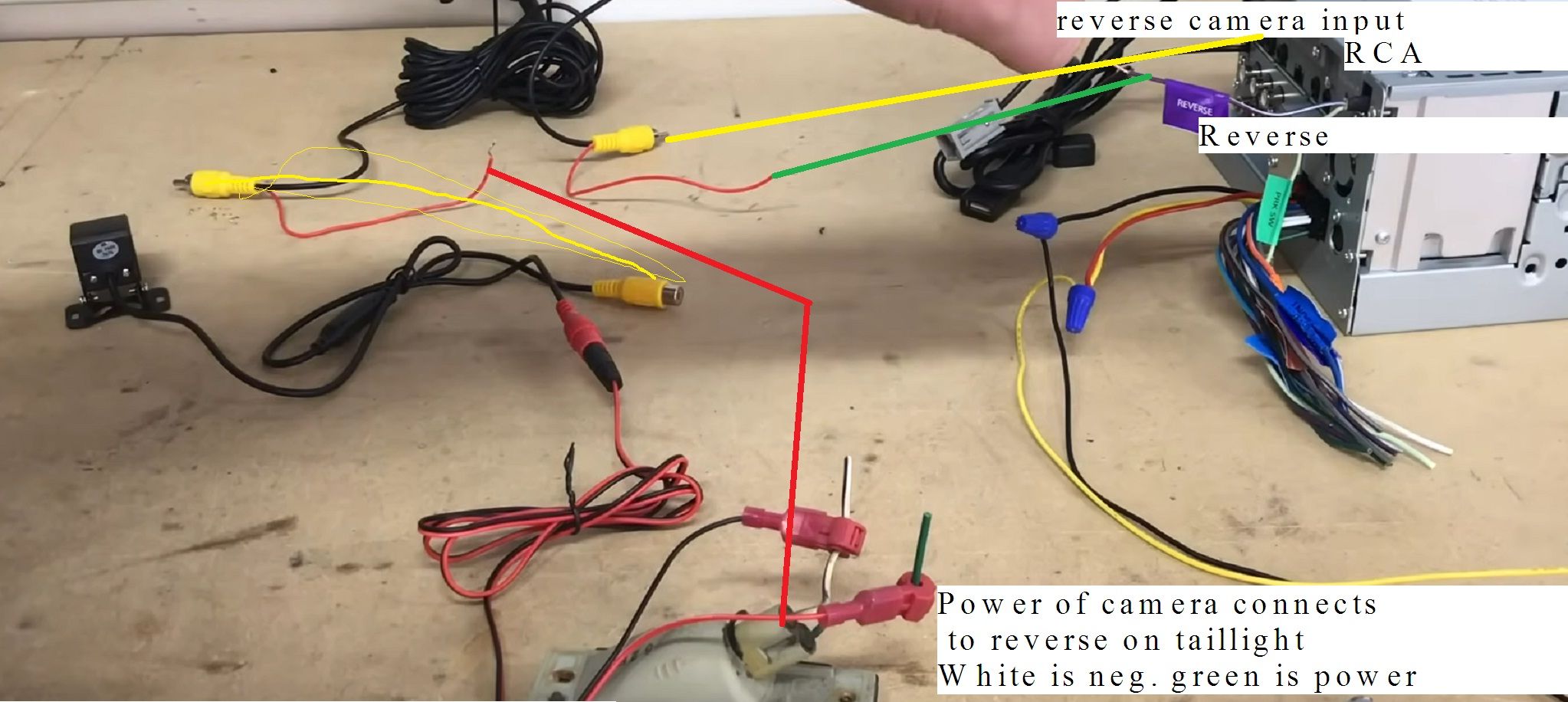
camera blk was grounded to body.
I’ve only plugged RCA video signal cable into HU rear view camera (per Pioneer instructions) an have camera on in settings.
since camera is on in settings maybe it's confussed when the 2nd voltage signal comes in from the reverse green wire? I haven't tryed but maybe camera needs to be off in settings then only come on w/ reverse green wires signal?
weird there's no place to connect power on video cables pigtail at HU.
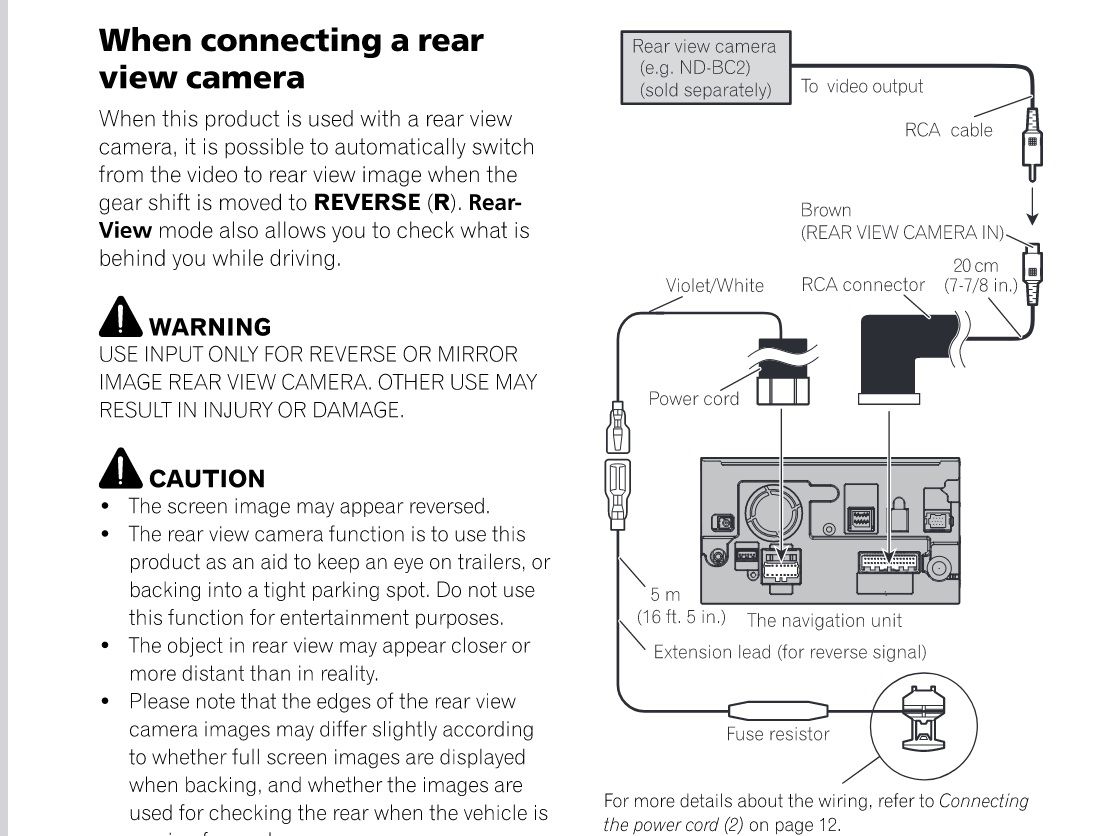
the RCA signal cables pig tail is unconnected at HU however I did touch it to the HU green wire, this w/ engine running an *****. In reverse.still no video feed.
the AVIC doe's have a green (Ithink ) reverse wire however it's used for the NAV connected to the parking brake switch (the red white of rp4gm11) so I can't program the NAV unless the emergency brake is depressed.
Please advise.
when driving a van you never look out the back windows I've got curtains an perorated window film so peeking tom can't look in so you use the side mirrors. I'm not used to the spare tire attached to door so a camera would be nice to see stuff back there.
thanks for advise
Head unit is 2009 Pioneer AVIC Z110BT using a RP4GM11 adaptor.
Have cameras power an RCA video signals power both connected to the green reverse wire at tail light. 05 Chevy express 3500 van.
camera blk was grounded to body.
I’ve only plugged RCA video signal cable into HU rear view camera (per Pioneer instructions) an have camera on in settings.
since camera is on in settings maybe it's confussed when the 2nd voltage signal comes in from the reverse green wire? I haven't tryed but maybe camera needs to be off in settings then only come on w/ reverse green wires signal?
weird there's no place to connect power on video cables pigtail at HU.
the RCA signal cables pig tail is unconnected at HU however I did touch it to the HU green wire, this w/ engine running an *****. In reverse.still no video feed.
the AVIC doe's have a green (Ithink ) reverse wire however it's used for the NAV connected to the parking brake switch (the red white of rp4gm11) so I can't program the NAV unless the emergency brake is depressed.
Please advise.
when driving a van you never look out the back windows I've got curtains an perorated window film so peeking tom can't look in so you use the side mirrors. I'm not used to the spare tire attached to door so a camera would be nice to see stuff back there.
thanks for advise






