
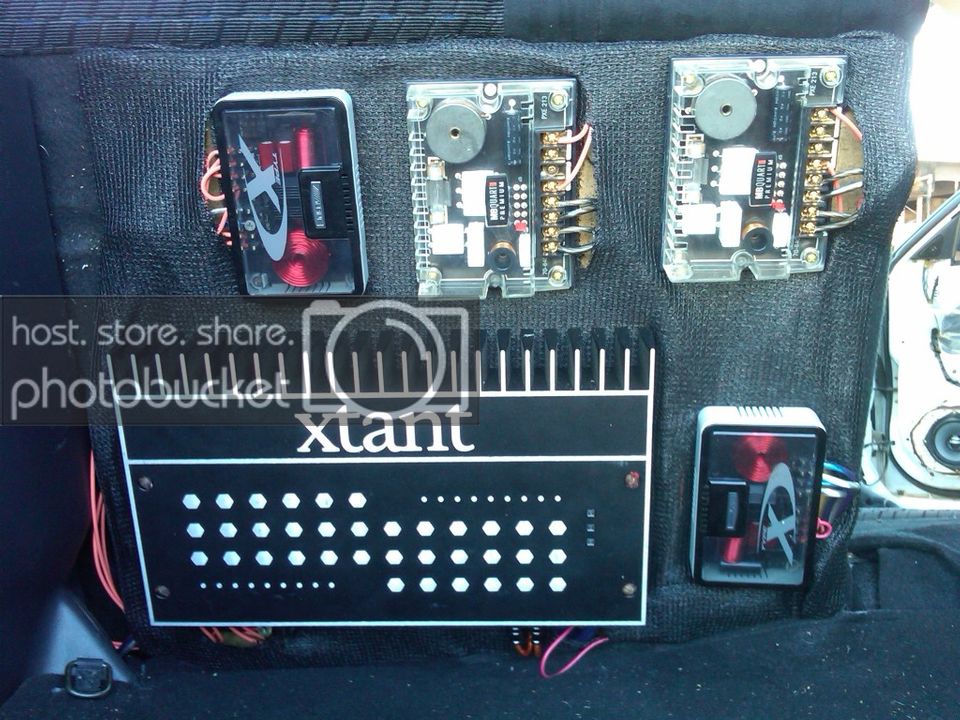

What you guys think

Right click on the image,Go to Properties,

Copy the URL - Address - link,

Paste it into a post on the forum,

Put [img*] on the front and [/img*] at the end of it and remove the two *'s.

Now, I expect you to thank me greatly.
IMG-20121202-


THANKYOU/THIS FAIL THREAD THAT MAY NOW SUCCED THANKS YOU:D


---------- Post added at 12:27 PM ---------- Previous post was at 12:27 PM ----------


Wow i cant see the pic guess its still a fail thread idk what i did wrong

 
[quote name='Spider Monkey']That button does the same thing I said, manually.


See what I get for trying to be helpful. Guess I'll go back to being an asshole again. That was short lived...[/QUOTE]

i got what you said bro. you actually know the code. computer genius if you ask me. im just trying to figure out who this @SpiderMonkey guy is.
 
haha for tho thanks for trying man idk why it didnt work when i tried no .img or whatever was there i didnt erase chit either you d@mn //content.invisioncic.com/y282845/emoticons/nerd.gif.c6fa51ddf7ff75f1c0371fbc648f70ae.gif

 
Activity
No one is currently typing a reply...

About this thread

Loudmp5

10+ year member
skyhigh&banginlow
Thread starter
Loudmp5
Joined
Location
florence az
Start date
Participants
Who Replied
Replies
30
Views
1,019
Last reply date
Last reply from
Loudmp5
IMG_20260516_193114554_HDR.jpg

sherbanater

    May 16, 2026
  • 0
  • 0
IMG_20260516_192955471_HDR.jpg

sherbanater

    May 16, 2026
  • 0
  • 0

New threads

Top