Western Digital passport drives

kortdogg

Junior Member
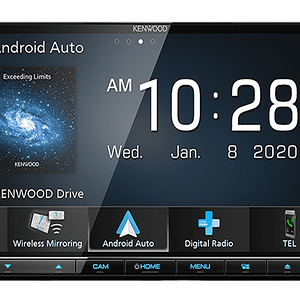
I have bought a new head unit that has a usb port(I can use an ipod or a flash drive). I was wondering if anyone has tried using one of the western digital pass port drives for mp3 storage? It runs off the power of the usb cable, so I figure it would be a great solution compared to laying down $400 on an ipod. They run about $100 to $200 and they come in a 40, 60, 80, and 120 gig sizes. Thanks.

 
I have bought a new head unit that has a usb port(I can use an ipod or a flash drive). I was wondering if anyone has tried using one of the western digital pass port drives for mp3 storage? It runs off the power of the usb cable, so I figure it would be a great solution compared to laying down $400 on an ipod. They run about $100 to $200 and they come in a 40, 60, 80, and 120 gig sizes. Thanks.

I haven't used the passport drives, but I have tried my external 2.5" drive with my Kenwood KDC-X890. It doesn't work. I think the HU is unable to supply the drive with enough juice because all it does is either sit there and click, or the light would come on and it would do nothing. The USB port was designed for use with flash drives, not external HDDs.

Here's some cheap 4gb flash drives

http://www.newegg.com/Product/Product.asp?Item=N82E16820228036

http://www.newegg.com/Product/Product.asp?Item=N82E16820208047

http://www.newegg.com/Product/Product.asp?Item=N82E16820233027

I would pay extra and go with the last one.

 
I haven't used the passport drives, but I have tried my external 2.5" drive with my Kenwood KDC-X890. It doesn't work. I think the HU is unable to supply the drive with enough juice because all it does is either sit there and click, or the light would come on and it would do nothing. The USB port was designed for use with flash drives, not external HDDs.
Here's some cheap 4gb flash drives

http://www.newegg.com/Product/Product.asp?Item=N82E16820228036

http://www.newegg.com/Product/Product.asp?Item=N82E16820208047

http://www.newegg.com/Product/Product.asp?Item=N82E16820233027

I would pay extra and go with the last one.

The file system is completely different, and so is the USB Id #

 
The file system is completely different, and so is the USB Id #
File systems are the same, errr can be the same, it's just kinda practical that all HDDs use NTFS, but using FAT32 (like most USB HUs want) is completely fine. I never heard of a USB ID number.

 
Actually, I already have that 4gb corsair and it works excellent! I just wanted something bigger, but I did not want to waste $$ on the passport drive if it did not work. Thank you for confirming that it doesn't.//content.invisioncic.com/y282845/emoticons/biggrin.gif.d71a5d36fcbab170f2364c9f2e3946cb.gif

 
I see. I think those are OS dependent, I'm 99% sure that page is talking Linux. Anyways, after I read it, it seems that these IDs are not unique to a certain type of device (kinda like a MAC address). It's just the name each USB device is given depending on when the system is started up (like usb0, or in Linux, usually sda1). Seeing as there's only one USB port on the HU, well, it's logical to presume that there'd be only 1 ID that can be assigned. It's all in Kenwood's OS, maybe it's too crappy to recognize different drives (eg. not compiled with chipset support).

 
Activity
No one is currently typing a reply...
Old Thread: Please note, there have been no replies in this thread for over 3 years!
Content in this thread may no longer be relevant.
Perhaps it would be better to start a new thread instead.

About this thread

kortdogg

Junior Member
Thread starter
kortdogg
Joined
Location
Lake Orion, MI
Start date
Participants
Who Replied
Replies
6
Views
510
Last reply date
Last reply from
prochobo
1778578257023.png

Glen Rodgers

    May 12, 2026
  • 0
  • 0
Screenshot_20260511_212804_Amazon Shopping.jpg

Blackout67

    May 11, 2026
  • 0
  • 0

New threads

Top