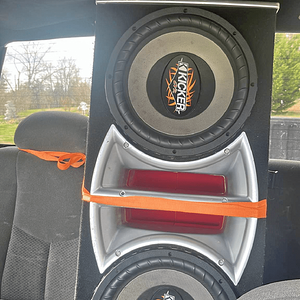
Tuning a JL AUDIO 1000/1v2

bains.s

Junior Member
Hi i have a jl audio 1000/1v2 and 2 jl audio w3v3's and have no idea where to put the

LP filter what mode/slope it should be on 12 24 db? then what hz

'Q'

Centre freq

and infrasonic filter

Also after setting these the tuning on the headunit should i match these settings or should i use no equaliser? i have a 3 band eq on my head unit with bass settings of 63 80 100 125 also the w3's are 4 ohms in a sealed enclosure.

This is the 3rd forum i'm trying no one has any advice for me please someone help!

Thanks to anyone for trying!

 
Depending on the subwoofer system and the vehicle, different slopes may be required to produce a smooth transition to the mid-bass speakers in the system. Experiment to find the slope which best matches the acoustic requirements of your system.

Hint: A trunk mounted sub whose output has to "fight" through a rear deck or a back seat often benefits from the 12 dB/octave slope which lets more upper bass content pass through. A sub that fires directly into the listening environment is more likely to benefit from a 24 dB/octave slope.

The above hint is not “set-in-stone”... You should always listen to the system carefully to determine the best choice as vehicle acoustics and other factors play a big role in choosing the most appropriate filter slope.

That's from your manual for the amp. I would leave bass boost off, don't mess with it yet and usually you never need to.

As for LP filter, match that to what you set your head unit to. I would put it at 80 hz on the amp and the head unit and see if you like how that sounds.

On JL's site there is a tutorial for your Parametric EQ ('Q', Bass Boost, Center Freq.) that explains in detail what it does and has a nice graph showing you the frequency band according to the 3 variables that shows the end result (seeing this graph and messing with it will help you understand what the Parametric EQ is).

I feel that the Input Sensitivity settings are the most important, I suggest to you downloading the .pdf of the 1000/1v2's manual and reading it. I am currently having trouble with mine when i turn on the bass boost; I feel this is because of the input sens. being wrong. I'm taking it to a professional seeing as how im rookie with this high end stuff. I've had mine for 2 weeks

 
Thanks so much, i've read and seen all those tutorials but I don't know where the centre freq should be so ok i'll turn off bass boost and the infrasonic freq. LP filter to 80. i've got it in a hatchback so i'm assuming a 24 slope would be better, yeah i need a voltmeter to set my input sensitivity thing is the w3v3's are around 300 rms so i need to know exactly where to put it, yeah i'm a rookie too. But i think taking it to a professional will help, just around here they'll charge me for their time! tuning is key, any idea about the centre freq?

 
Id leave ur center at 45 unless u find a different spot where you like the sound better, I have mine halfway between 35 and 45

Remember anytime u mess with your parametric your listening for unwanted distortions, try to turn it up to that point your comfortable with. If your input sensitivity(gain) is too high and you turn on the boost, you'll get alot of distortion

 
Remember that all 3 knobs go hand in hand. Your center is what frequency will receive the most impact from the boost option. Q determines the frequency bandwidth extending it to all frequencies and not just the center.

 
Remember that all 3 knobs go hand in hand. Your center is what frequency will receive the most impact from the boost option. Q determines the frequency bandwidth extending it to all frequencies and not just the center frequency.

 
It's playing EVERYTHING below 80 hz with everything above going to your normal speakers. Your center frequency determine at what point your bass boost gives the most added oomph , study the graph that is presented to you in the tutorial to help you better understand what center frequency is changing. This setting does not affect your LP frequency

Think of your low pass as what part of the music it is to play ( the low end) and the parametric controls as what part to further boost for sound pleasure.

 
Ah thank you! I thought for so long a low pass filter cuts out what you don't want so its been so low like 40 hz. But then the highpass filter on my head unit already cuts out the frequencies i don't want at my car speakers so does that mean the lpf on the amp is doing nothing for me really?

 
dude , don't use the boost at all. just kick that sucker to 24/db slope , set your LPF around 80hz and turn your gain all the way down , turn your deck up about 3/4 of the way , and slowly turn up the gain on the amp until your sub starts to sound like **** , then back it down till it sounds good. boost usually adds distortion and you don't want that. //content.invisioncic.com/y282845/emoticons/smile.gif.1ebc41e1811405b213edfc4622c41e27.gif

 
I've seen these all but I never knew how important the input sensitivity was i need to get my hands on an ac voltmeter now but thanks for all the help, i only bought the amp because i got it cheap didn't realise how many settings there actually were and how much difference it makes!

 
I've seen these all but I never knew how important the input sensitivity was i need to get my hands on an ac voltmeter now but thanks for all the help, i only bought the amp because i got it cheap didn't realise how many settings there actually were and how much difference it makes!
I guess you could say that is all part of the fun.

Good luck and enjoy.

 
Activity
No one is currently typing a reply...
Old Thread: Please note, there have been no replies in this thread for over 3 years!
Content in this thread may no longer be relevant.
Perhaps it would be better to start a new thread instead.

About this thread

bains.s

Junior Member
Thread starter
bains.s
Joined
Location
london, uk
Start date
Participants
Who Replied
Replies
14
Views
8,444
Last reply date
Last reply from
thevic24
IMG_1225.png

tyler0508

    May 27, 2026
  • 0
  • 0
Curves.jpg

ThxOne

    May 25, 2026
  • 0
  • 0

New threads

Top