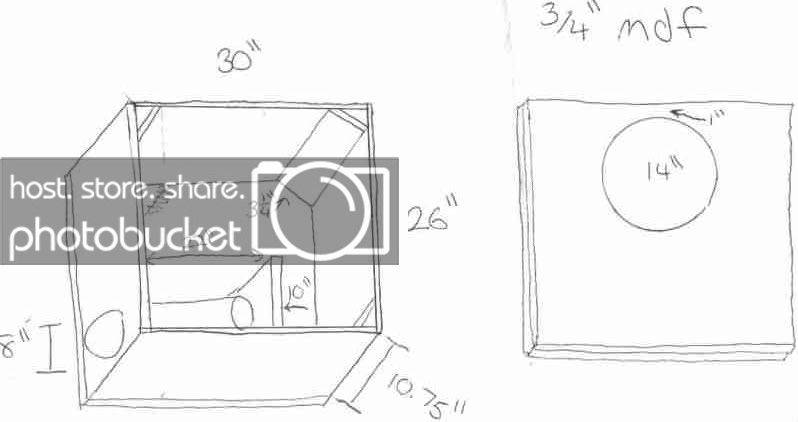
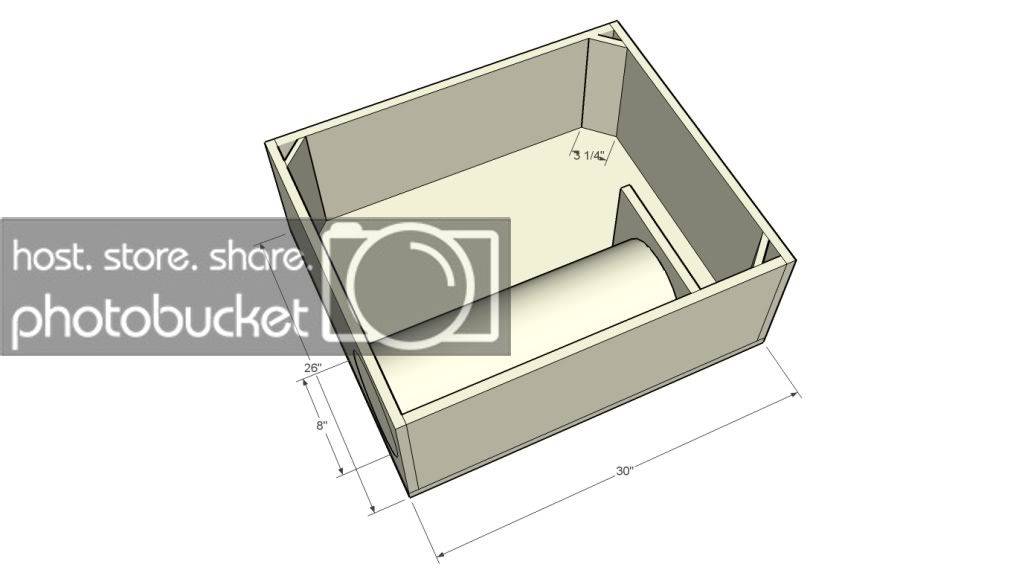
need a sketchup from someone who has some free time...

allout13
10+ year member

CarAudio.com Elite
can someone make this...

sketchuphelp.jpg


...look like this?

3cuft34hz5075in2.jpg


I downloaded google sketchup and I can figure that shit out so I really need help haha

Id really appreciate it if someone could do this for me

thanks,

Chad

 
There's a tutorial on here on how to use sketchup. You should search for it and give it a try. It's really not very difficult at all, especially for simple boxes like that. Make rectangles, and push them out.

 
There's a tutorial on here on how to use sketchup. You should search for it and give it a try. It's really not very difficult at all, especially for simple boxes like that. Make rectangles, and push them out.
I saw the tutorial, but I think Im missing some of the very basic concepts not mentioned in the tutorial. I couldnt figure out how the make the rectangles the exact length that I wanted them //content.invisioncic.com/y282845/emoticons/confused.gif.e820e0216602db4765798ac39d28caa9.gif

 
I saw the tutorial, but I think Im missing some of the very basic concepts not mentioned in the tutorial. I couldnt figure out how the make the rectangles the exact length that I wanted them //content.invisioncic.com/y282845/emoticons/confused.gif.e820e0216602db4765798ac39d28caa9.gif
There's a little box in the bottom right corner of the screen.

When you start a rectangle, click in that box and type in the dimensions you want, for instance: 26", 30"

Yes you have to use the inch marks and a comma.

 
If you set it up to woodworking/carpentry, you don't even have to do that! I personally don't really like the rectangle tool.

Just start guiding a line in the direction/plane you want, then, without even clicking in the little box, type your desired dimension (in inches) and click enter.

You can type it as 12.5 or 12 1/2 and it will automatically create the line with that exact length for you.

 
There's a little box in the bottom right corner of the screen.
When you start a rectangle, click in that box and type in the dimensions you want, for instance: 26", 30"

Yes you have to use the inch marks and a comma.
cool, that helps a ton.

now how do you make it show the measurements?

 
Activity
No one is currently typing a reply...
Old Thread: Please note, there have been no replies in this thread for over 3 years!
Content in this thread may no longer be relevant.
Perhaps it would be better to start a new thread instead.

About this thread

allout13

10+ year member
CarAudio.com Elite
Thread starter
allout13
Joined
Location
Georgia
Start date
Participants
Who Replied
Replies
24
Views
1,168
Last reply date
Last reply from
allout13
IMG_20260516_193114554_HDR.jpg

sherbanater

    May 16, 2026
  • 0
  • 0
IMG_20260516_192955471_HDR.jpg

sherbanater

    May 16, 2026
  • 0
  • 0

New threads

Top