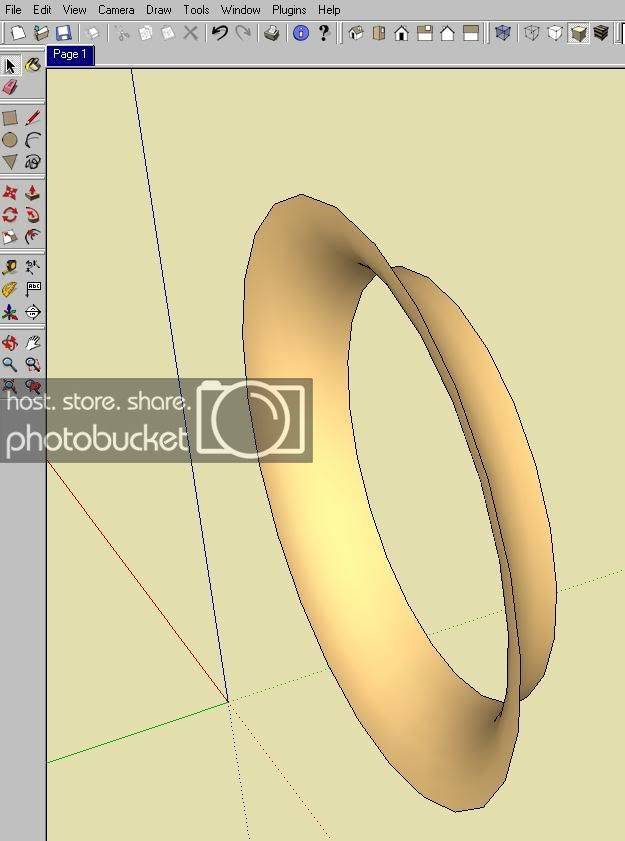
Anyone know how to make psp/aero port on sketchup?

Anyone know how to make psp/aero port on sketchup? I remember someone had one posted but I dont see it anymore.... anyone please make a quick tutorial preferbly with screenshots would be great!
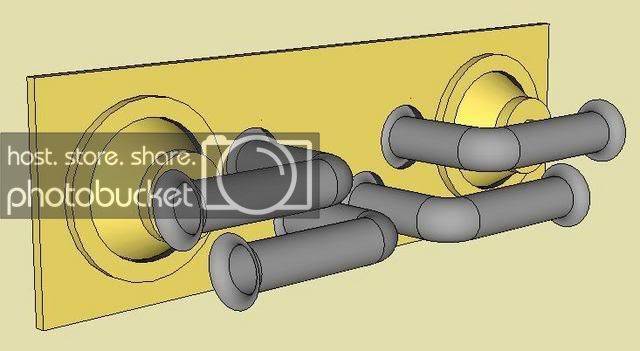
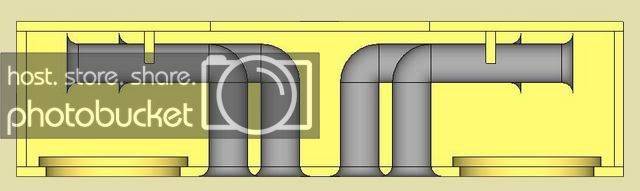
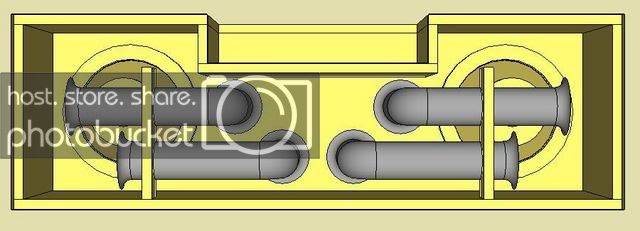
Are you referring to something like this:

Scott-F.jpg


Scott-E.jpg


Scott-D.jpg


first, look at this page. will help you out, check out the 'lathe' section.

http://download.sketchup.com/OnlineDoc/gsu6_win/gsuwin.html

second, heres what i did just now. cuz im so cool and used my brainz.

start out with a circle of your choice, i gave it a 4" mouth and a 3" tube. again, whatever floats your boat. i also separated the tube and the port by 1" because it was easy. this depth will determine how sharp the flare is, measure a real one if you like. if its just for visual representation, dont worry about it.

2h5iob7.jpg


step two - make a rectangle at the edge of your mouth, and the start of the throat of the tube. this will turn into our curve. next, select the ARC tool and at the mouth edge of your square, for the starting point, and the throat edge of your square for the ending point, make your base line, then pull the mouse toward the center of the tube to make your arc for the curve in the port. do not pull it too far or your curve will be weird. you will see what i mean. click once more to finalize your arc.

33n9kkx.jpg


step three is the fun part. delete all the extra crap only leaving the lines shown below. then select the FOLLOW ME tool under the tools menu, and click the shape you just made. then without clicking again, drag your mouse around the perimeter of your larger mouth circle and watch it extrude your shape along the curve. its neat how it works.

2nlspk.jpg


this is what you should have now.

2m43twi.jpg


then delete all the extra crap EXCEPT your new tube flare and you are almost there.

zsquxe.jpg


now all you have to do is flip it round and select the OFFSET tool. depending on weather or not your port has a mounting flange this step is optional. with the offset tool selected, click on the large mouth circle and extend outwards or just type in the size of your flange. in this instance, i chose .5 inches. and to finalize, click the mouse, or if you typed in a distance, hit enter. it should look like this.

10prfkl.jpg


there you have it. there might be an easier way, but this is what i did in maybe 5 minutes. if you can figure it out, please do //content.invisioncic.com/y282845/emoticons/smile.gif.1ebc41e1811405b213edfc4622c41e27.gif

 
first, look at this page. will help you out, check out the 'lathe' section.http://download.sketchup.com/OnlineDoc/gsu6_win/gsuwin.html

second, heres what i did just now. cuz im so cool and used my brainz.

start out with a circle of your choice, i gave it a 4" mouth and a 3" tube. again, whatever floats your boat. i also separated the tube and the port by 1" because it was easy. this depth will determine how sharp the flare is, measure a real one if you like. if its just for visual representation, dont worry about it.

2h5iob7.jpg


step two - make a rectangle at the edge of your mouth, and the start of the throat of the tube. this will turn into our curve. next, select the ARC tool and at the mouth edge of your square, for the starting point, and the throat edge of your square for the ending point, make your base line, then pull the mouse toward the center of the tube to make your arc for the curve in the port. do not pull it too far or your curve will be weird. you will see what i mean. click once more to finalize your arc.

33n9kkx.jpg


step three is the fun part. delete all the extra crap only leaving the lines shown below. then select the FOLLOW ME tool under the tools menu, and click the shape you just made. then without clicking again, drag your mouse around the perimeter of your larger mouth circle and watch it extrude your shape along the curve. its neat how it works.

2nlspk.jpg


this is what you should have now.

2m43twi.jpg


then delete all the extra crap EXCEPT your new tube flare and you are almost there.

zsquxe.jpg


now all you have to do is flip it round and select the OFFSET tool. depending on weather or not your port has a mounting flange this step is optional. with the offset tool selected, click on the large mouth circle and extend outwards or just type in the size of your flange. in this instance, i chose .5 inches. and to finalize, click the mouse, or if you typed in a distance, hit enter. it should look like this.

10prfkl.jpg


there you have it. there might be an easier way, but this is what i did in maybe 5 minutes. if you can figure it out, please do //content.invisioncic.com/y282845/emoticons/smile.gif.1ebc41e1811405b213edfc4622c41e27.gif
There ya go, easiest way to make a flared port in sketch up, it's exactly the same way I do it. Though, the only difference is the amount of radius of the flared part of the port.

 
There ya go, easiest way to make a flared port in sketch up, it's exactly the same way I do it. Though, the only difference is the amount of radius of the flared part of the port.
its not working for me //content.invisioncic.com/y282845/emoticons/frown.gif.a3531fa0534503350665a1e957861287.gif

 
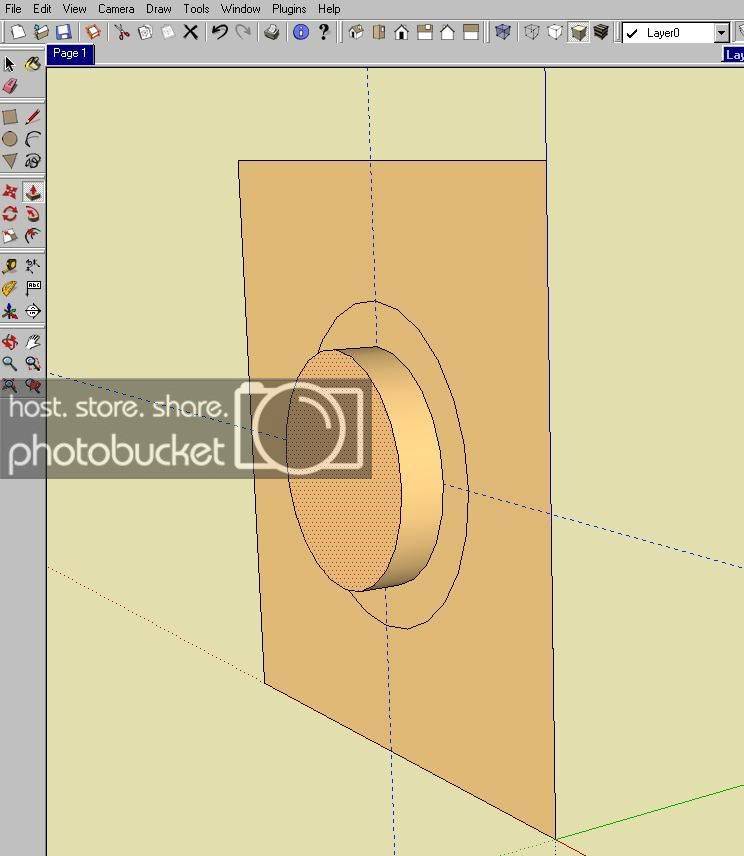
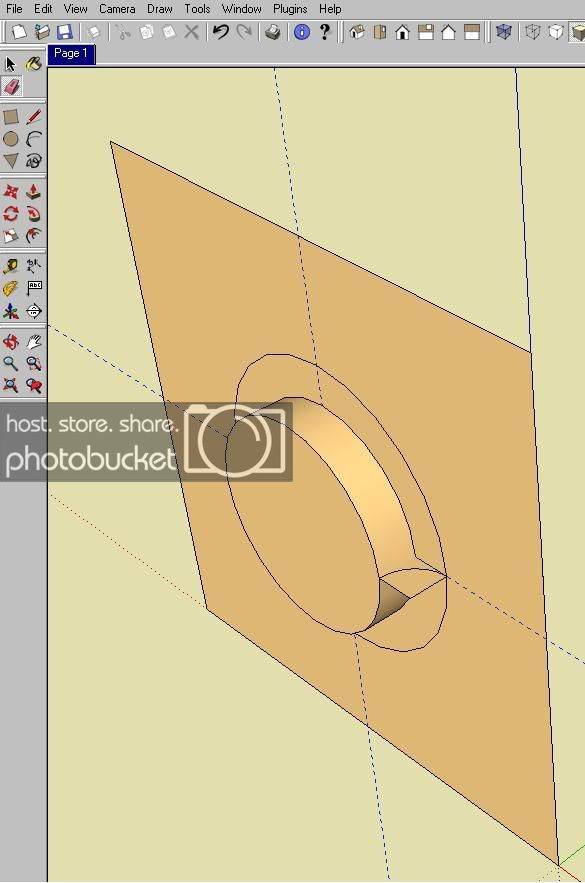
mine ends up like this
sketchup_1.jpg
OK, your on the right track, you just have it drawn in such a manner you didn't intend, thats all.

OK, this is the way I normally do it:

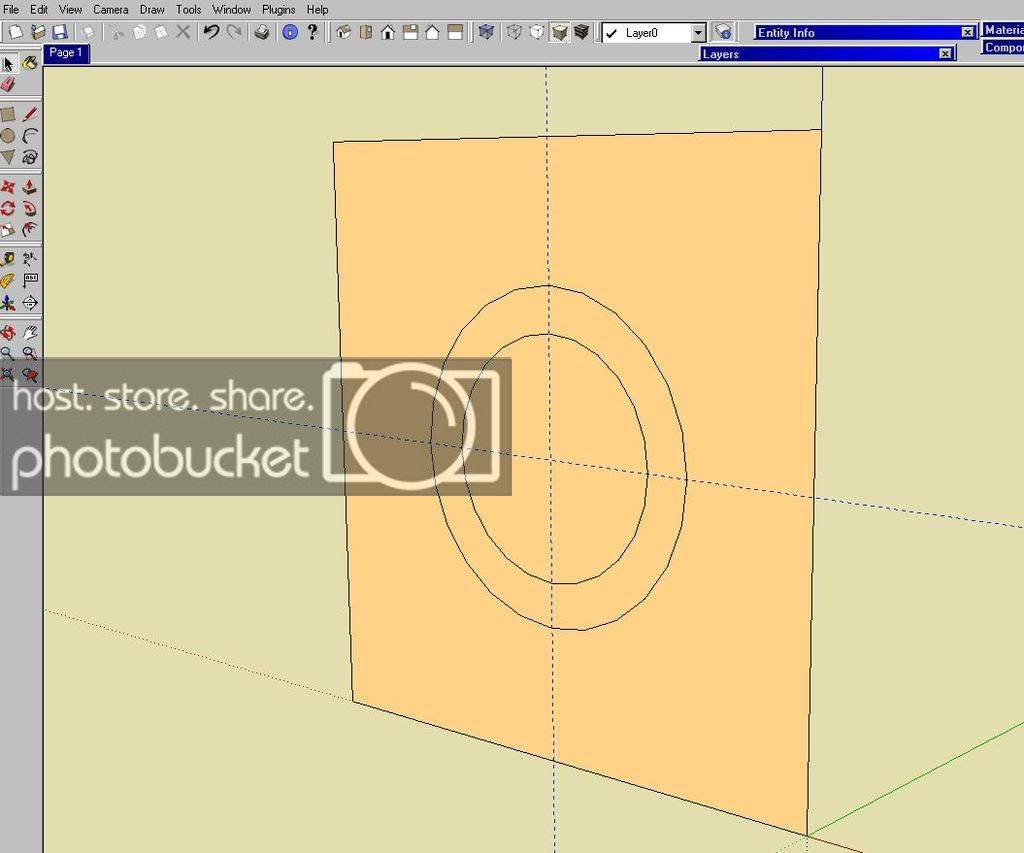
1st - I draw a square/rectangle to the orientation I want the flared port to aim. Next, I draft the ID & OD of the port flare.

For this one I am doing a 4" ID and 5.5" OD which would give me a 3/4" radius for the flare I want to create.

1.jpg


2nd, I use the " PULL " tool to pull the 4" ID diameter to 3/4".

2.jpg


3rd, I draw square that connects the " pulled diameter " of the 4" ID to 5.5 OD, then I use the the " circle tool " to create the radius. ( I right click on that radius and select " divide " to divide the circle into four sections and delete the sections not needed to make the flare.

3.jpg


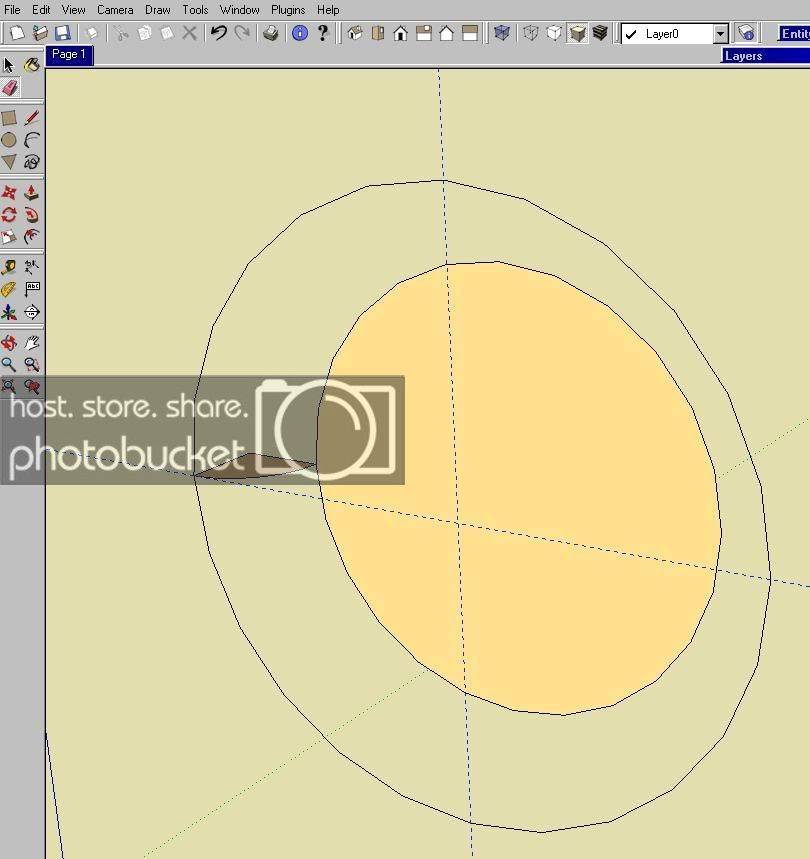
4th, I delete the rest of the elements so all I am left with is the 4" ID, the 5.5" OD and the radius section I need to make the flare.

4.jpg


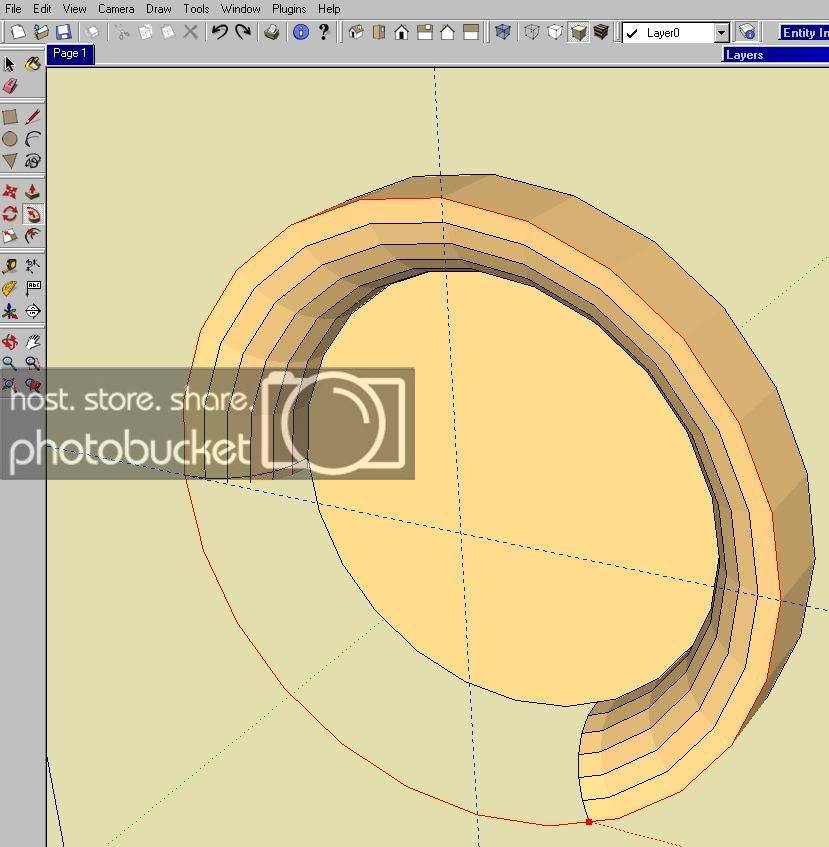
5th, I select the " Follow Me " tool and then select with that tool the radius section and use that tool to follow the OD of port ( as shown in RED ) which creates the radius of port flare. Use the " follow me " tool to pull the radius section around from the diameter back to where it started and it will complete the flare.

5.jpg


6th and last, after completing step 5, use the " select tool " to select and delete those elements you don't want and you are left with the flare of the port you created.

6.jpg


One thing to keep in mind is that PSP or any other Aero/Flared Port has a much greater radius, so to accurately draft design it in sketch up will require to know what the ID & OD of the port, but, I have discovered that the depth of a aero/flared port is greater than the radius of the flared end.

 
Thanks! I will try that as soon as I get to my other computer. I think I just overlooked the "follow me" part. I will post an update on my behalf. Looks like I will need to measure my psp port I have sitting here. thanks again to you Mr.C & Req

 
Thanks! I will try that as soon as I get to my other computer. I think I just overlooked the "follow me" part. I will post an update on my behalf. Looks like I will need to measure my psp port I have sitting here. thanks again to you Mr.C & Req
No Problem;)

BTW, you have no intentions of using elbows as part of the port to achieve the length of the finished port??? I so, doing elbows in sketch requires alittle more creativity within sketch up to draft them the correct way.

 
No Problem;)
BTW, you have no intentions of using elbows as part of the port to achieve the length of the finished port??? I so, doing elbows in sketch requires alittle more creativity within sketch up to draft them the correct way.
I dont have any attentions at the moment. Right now just trying to sketchup a sonotube for a fellow friend, I didnt anticipate him on using a PSP, I thought he would just use PVC pipe with no flare.

If you care to share how to make an elbow that would be great, I am sure others would be great full of you to do so!

 
Activity
No one is currently typing a reply...
Old Thread: Please note, there have been no replies in this thread for over 3 years!
Content in this thread may no longer be relevant.
Perhaps it would be better to start a new thread instead.

About this thread

Megalomaniac

5,000+ posts
Mr.SQ
Thread starter
Megalomaniac
Joined
Location
The Colony, TX
Start date
Participants
Who Replied
Replies
15
Views
3,975
Last reply date
Last reply from
Mr Cabinetry
IMG_20260516_193114554_HDR.jpg

sherbanater

    May 16, 2026
  • 0
  • 0
IMG_20260516_192955471_HDR.jpg

sherbanater

    May 16, 2026
  • 0
  • 0

New threads

Top