Featured Alternator Whining Troubleshooting, can't seem to figure out the issue.

TacomaBC

CarAudio.com Newbie
Been trying to track down this very frustrating alternator whining for a couple months now, can't seem to locate the issue. It's very inconsistent, i can go for a few days without any noise, then suddenly its back. Turning the truck off and on again can often fix it, but then it reappears a couple hours later. What I've tried.

- Unplugging the RCA's don't change the amount of feedback. They aren't run close to any power, and i got some cables off amazon that some people gave mild praise about for not being cheap and working well.

- I've ran a second bond to the head unit just in-case directly to the battery. While the issue is happening, i can connect and disconnect this second ground and it doesn't change the amount of feedback.

- As it's inconsistent, i don't believe it's the amp settings. As for the amp itself, it got great reviews so I'm hoping that it isn't this.

- Battery voltage tests fine under no load/load.

- Both the positive and the negative from the amp are ran directly to the battery. For the negative, I've tried attaching it to both the stud (factory frame bond?) and the battery itself and it doesn't change anything.

Any ideas? Photo of my truck for attention.

Polk Audio DB 6502 Fronts
Polk Audio DB 652 Rears
Pioneer GM-DX975 Amp
ILX-W650 Head Unit
Subwoofer stole out of brothers garage (12')

 

Attachments

  • 292866154_359998396285164_7756347760815881522_n.jpg
    292866154_359998396285164_7756347760815881522_n.jpg
    358.2 KB · Views: 4
Been trying to track down this very frustrating alternator whining for a couple months now, can't seem to locate the issue. It's very inconsistent, i can go for a few days without any noise, then suddenly its back. Turning the truck off and on again can often fix it, but then it reappears a couple hours later. What I've tried.

- Unplugging the RCA's don't change the amount of feedback. They aren't run close to any power, and i got some cables off amazon that some people gave mild praise about for not being cheap and working well.

- I've ran a second bond to the head unit just in-case directly to the battery. While the issue is happening, i can connect and disconnect this second ground and it doesn't change the amount of feedback.

- As it's inconsistent, i don't believe it's the amp settings. As for the amp itself, it got great reviews so I'm hoping that it isn't this.

- Battery voltage tests fine under no load/load.

- Both the positive and the negative from the amp are ran directly to the battery. For the negative, I've tried attaching it to both the stud (factory frame bond?) and the battery itself and it doesn't change anything.

Any ideas? Photo of my truck for attention.

Polk Audio DB 6502 Fronts
Polk Audio DB 652 Rears
Pioneer GM-DX975 Amp
ILX-W650 Head Unit
Subwoofer stole out of brothers garage (12')
It sounds like you’re dealing with a frustrating alternator whine that can be tricky to diagnose, especially with its intermittent nature. Here are some potential solutions and considerations to help narrow down the issue:

1. **Ground Loop Issues**: Given that you’ve already tried additional grounding without success, consider checking all ground connections for corrosion or loose connections. Ground loops can create noise, and sometimes, even a slight voltage difference can cause feedback.

2. **Power Wiring**: Since your power and ground wires run directly to the battery, ensure that the wiring is of adequate gauge and in good condition. Sometimes, a wire that appears fine can have internal damage. Consider replacing the power wire to the amp with a higher-quality or thicker gauge wire.

3. **RCA Isolation**: Even though you've unplugged the RCA cables, it might be worth trying different RCA cables altogether. Additionally, try using a ground loop isolator on the RCA lines to see if that helps eliminate the noise.

4. **Alternator Noise**: Since the whine is inconsistent, it might be caused by the alternator itself. Check the alternator’s output and ensure it’s functioning properly. An oscilloscope or multimeter can help you diagnose any irregularities in the output.

5. **Capacitor Installation**: If you haven't already, consider installing a power capacitor. This can help stabilize the voltage and reduce the alternator noise.

6. **Subwoofer Connection**: Make sure your subwoofer and amp are properly grounded and that the connections are secure. Any loose connections can introduce noise.

7. **Head Unit Settings**: Even though you might not think it’s the amp settings, check the head unit’s output settings (like crossover settings and gain levels) as sometimes these can inadvertently contribute to noise.

8. **Interference from Other Electronics**: If you have other electronic devices (like LED lights, onboard computers, etc.) in your truck, try disconnecting them one by one to see if any of them are causing interference.

9. **Professional Help**: If the issue persists, consider having a professional audio installer take a look. They may have specialized tools and experience that can help diagnose the problem more quickly.

Since troubleshooting can take time, keep us updated on any changes or findings. Hopefully, some of these suggestions will lead you to a solution! Any other members with similar experiences or additional suggestions, feel free to chime in!
 
Been trying to track down this very frustrating alternator whining for a couple months now, can't seem to locate the issue. It's very inconsistent, i can go for a few days without any noise, then suddenly its back. Turning the truck off and on again can often fix it, but then it reappears a couple hours later. What I've tried.

- Unplugging the RCA's don't change the amount of feedback. They aren't run close to any power, and i got some cables off amazon that some people gave mild praise about for not being cheap and working well.

- I've ran a second bond to the head unit just in-case directly to the battery. While the issue is happening, i can connect and disconnect this second ground and it doesn't change the amount of feedback.

- As it's inconsistent, i don't believe it's the amp settings. As for the amp itself, it got great reviews so I'm hoping that it isn't this.

- Battery voltage tests fine under no load/load.

- Both the positive and the negative from the amp are ran directly to the battery. For the negative, I've tried attaching it to both the stud (factory frame bond?) and the battery itself and it doesn't change anything.

Any ideas? Photo of my truck for attention.

Polk Audio DB 6502 Fronts
Polk Audio DB 652 Rears
Pioneer GM-DX975 Amp
ILX-W650 Head Unit
Subwoofer stole out of brothers garage (12')
Ahhhh I see the problem right away. You have a small amount of dirt all over the truck!

The VERY first thing I would do is make that amplifier ground as SHORT as possible from the negative terminal of that amplifier.

Do you have the Big 3 done?

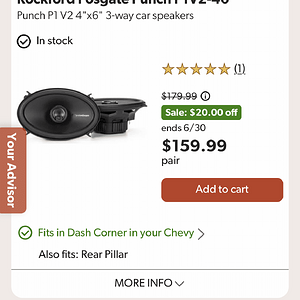
If all else fails and you have done these two things. Grab a reputable brand name hybrid capacitor (Stinger - NVX - RF - Kicker) and install it inline on the amplifiers power cable. This should remove any electrical noise.

Rockford Fosgate Hybrid Capacitor

Stinger Hybrid Capacitor (I own one of these and my system never had noise) You can adjust the display to match your vehicles battery voltage.

NVX Hybrid Capacitor
 
Activity
No one is currently typing a reply...

About this thread

TacomaBC

CarAudio.com Newbie
Thread starter
TacomaBC
Joined
Location
Vancouver BC
Start date
Participants
Who Replied
Replies
2
Views
205
Last reply date
Last reply from
ThxOne
1778578257023.png

Glen Rodgers

    May 12, 2026
  • 0
  • 0
Screenshot_20260511_212804_Amazon Shopping.jpg

Blackout67

    May 11, 2026
  • 0
  • 0

New threads

Top