uggg ,Time alignment

my2006c6
10+ year member

Junior Member
First off im running passive and my front mids are in doors and the tweeters in upper part of doors. And down firing sub in hatch area, AND also have one of the worst cars to get good sound ( my thoughts) 2005 corvette.
Ive been chasing my tail trying to get T/A set and be happy. My H.U. is a ALPINE INE W960.
If i measure distance and convert inches to cm , and input the numbers into HU , TA seems WAY OFF as right front speaker is all i here. When i use the built in calibration for car type ,it sets r/f speaker to 0 , which i assume is correct as its the farthest speaker, but i chase my tail getting TA close by delaying L/F. ... Should i just go by ear and call it a day ? After setting and thinking its the best i can get, the next day when i listen it seems way off ... Maybe its my 65 year old ears... Someone mentioned to me to play a 80 hz test tone which matches my HU crossover setting and try adjusting that way... Any input ?.

My system consist of
Gladen ZERO 165 6.5 2 way's,,
Gladen RS 150C2 amp for front speakers
Gladen SPL 1000C1 amp for sub
IMAGE DYNAMICS IDQ12 V.4 D4 12" sub in down firing box.
 
Last edited:
Here's the way I've always calculated time correction:

On a piece of paper, measure the distance from your listening position to each speaker, LF, RF, LR, RR, etc.
  • The furthest distance has 0 time correction.
  • Subtract all other speaker distances from the furthest.
  • Add each of those results to its speaker location. This is your time correction.
Time correction is adding delay to each speaker location so they're all the same distance from the listening position.

Write those values down. You can adjust it by ear to your taste.

Good luck with it.

As far as the Corvette, I can't help you with that ... I'm a '68 Buick GS convertible guy ... ;)
 
Last edited:
Here's the way I've always calculated time correction:

On a piece of paper, measure the distance from your listening position to each speaker, LF, RF, LR, RR, etc.
  • The furthest distance has 0 time correction.
  • Subtract all other speaker distances from the furthest.
  • Add each of those results to its speaker location. This is your time correction.
Time correction is adding delay to each speaker location so they're all the same distance from the listening position.

Write those values down. You can adjust it by ear to your taste.

Good luck with it.

As far as the Corvette, I can't help you with that ... I'm a '68 Buick GS convertible guy ... ;)
ya i had tried that but it seems off... My deck has adjustments in ms or cm May try this calculator but it gives big numbers in ms of where i am now
 
Last edited:
ok i read Alpine manual wrong and figured out how Alpine wants one to adjust.
Conditions: Example .
Farthest Speaker – listening position : 2.25 m (88-9/16")
Front left speaker – listening position : 0.5 m (19-11/16")
Calculation: L = 2.25 m – 0.5 m = 1.75 m (68-7/8")
Time correction = 1.75 ÷ 343* X 1000 = 5.1 MS

Speed of sound: 343 m/s (765 mph) at 20°C
In other words, giving the front left speaker a time correction value of
5.1 ms makes it seem as if its distance from the listener is the same
as the distance to the farthest speaker.

So my calculation For my car is
farthest right = 1.194 meters
front left = 0.838 meters ,
So calculation is , L =1.194 m , minus 0.838 m , = 0.356 m
So Time correction is , 0.356 divided by 343 X 1000 = 1.037 ms
So i'll try the 1.03 ms and see how it works out.
The online calculator was close and said to set L/F too 1.02ms
 
Last edited:
If your calculations are correct, then it
might be difficult because you are running passives?
Midbass and tweeter are being timed together but aren't located together

(Don't forget to factor in distance from grill to dust cap you want close to diaphragm as possible)

You may need to try few things to see which one you are more happy with
But may never get it dead on
It's just the nature of the beast

You can time align using the tweeters instead of midbass

Or you can maybe relocate the tweeter as close to the midbass as possible

Also double check your left and right levels
In most cases once aligned you may need to lower the level few db on your side
As they are closer and will still
 
Last edited:
Keep your measurements in cm. It's easier.

It doesn't make a difference whether the speakers are passively/actively crossed over. I always measured from the midrange when using component speakers. Try it from your tweeters if you're not happy with how it sounds by midrange T/C.

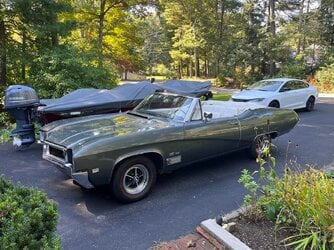
Sorry for hijacking this thread, here's my GS. No time correction necessary ... :cool:
 

Attachments

  • '68 GS400 and Ranger.jpeg
    '68 GS400 and Ranger.jpeg
    344.8 KB · Views: 20
Keep your measurements in cm. It's easier.

It doesn't make a difference whether the speakers are passively/actively crossed over. I always measured from the midrange when using component speakers. Try it from your tweeters if you're not happy with how it sounds by midrange T/C.

Sorry for hijacking this thread, here's my GS. No time correction necessary ... :cool:

In most cases it does make a difference


In passive component sets the tweeter is tied to the midbass but are mounted in different locations

And given that human hearing is more sensitive to the upper frequency ranges
I would not dismiss using to the tweeter for aligning the stage

Luckily his mb and tw seem very close to each other which is beneficial

In active setups each speaker is aligned individually weather it's 2 speakers or 10
 
Last edited:
In my last car, I ended up getting the best sound by not trying to get the sound to the drivers seat. Subwoofer was in the rear, so it was set at zero, rear fill speakers had a little bit of delay, and I increased the front delay till it sounded best.
 
I would find how the company that made your device wants the T/A set. I believe my RF 3Sixty.3 wants the sub measured at 0 distance. I think Kenwood wants everything measured including the sub. I could be mixed up on which company wants what but if you know how they designed their software and what they want measured it will be easier.
 
HERE!!! This may help A LOT!!

 
HERE!!! This may help A LOT!!

Yes i already posted how Alpine wants one to do it. And i come up with 1.02ms for my L/F speaker delay . And the online calculator i found shows 1.03 . Thanks though
 
Last edited:
Maybe my brain isnt working today, but not sure how i lower db to individual speaker from my Alpine HU
Or did you mean lower the delay
You can do this with balance fader
Your manual says it's under
"Quick sound setup"
Look for balance

Just shift the sound to the right side a bit once it's time aligned
This will inherently lower the volume on the left side
Just by ear till it sound pleasing to you

Because if it's aligned correctly but you left and right levels aren't adjusted accordingly it may still sound like it's coming from the left and you will be chasing your tail thinking it's the alignment in a lot of cases
 
Last edited:
Activity
No one is currently typing a reply...

About this thread

my2006c6

10+ year member
Junior Member
Thread starter
my2006c6
Joined
Location
United States
Start date
Participants
Who Replied
Replies
26
Views
2,372
Last reply date
Last reply from
shredder1
IMG_20260515_202650612_HDR.jpg

sherbanater

    May 15, 2026
  • 0
  • 0
IMG_20260515_202732887_HDR.jpg

sherbanater

    May 15, 2026
  • 0
  • 0

New threads

Top