Remotes for Car Stereos

Rockrz
10+ year member

Junior Member
I'm installing a JVC KW-V250BT in a work truck with no steering wheel controls... so is there a remote that would work with this stereo? It has blue tooth capability (I'm using this because it has manual volume control buttons which I may be stuck with if I cannot find a remote)

I think having a remote would be safer so I can always keep my eyes on the road when I need to go to the next song, lower the volume, etc.

Or... is there generic remotes that might work?

Just thought I'd slide in here to see if the resident experts have any words of wison
 
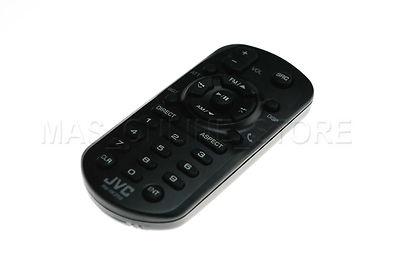
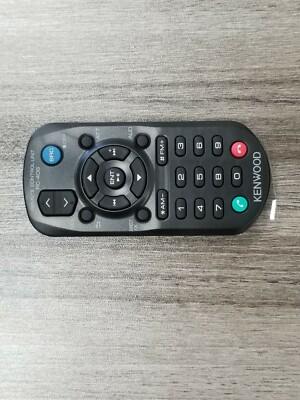
Well, I giggled it and found this remote on eBaby which is a generic remote.
They claim you just pop a batter in and it'll work automatically, no pairing or programming needed.

Then I found this remote which is supposed to be genuine JVC

Chances are the JVC remote is the same cheap chinese unit the other one is (except for the JVC logo) so think the cheapy one would work?
 
Well, I giggled it and found this remote on eBaby which is a generic remote.
They claim you just pop a batter in and it'll work automatically, no pairing or programming needed.

Then I found this remote which is supposed to be genuine JVC

Chances are the JVC remote is the same cheap chinese unit the other one is (except for the JVC logo) so think the cheapy one would work?
I'd look for a jvc remote for the model of your hu
 
Thanks guys!

Sorry for the goofy question.... I was already thinking the genuine JVC remote would probably be the way to go
 
Yeah, and when I waste money... I have to go in to damage control mode so the wife doesn't find out because if she did then SHE would want to go waste money too!
laughing2.gif
 
I just saw this advertised for your model:
  • Remote Control App - Control the receiver's source directly from the smartphone using simple finger gestures with "JVC Remote" app (now available for both iOS and Android).
  • The phone should be in a holder, as it is unsafe to hold and use while driving.
I also have JVC unit, but mine has a touch screen. I control volume by swirling my finger on the screen or by pressing up and down volume buttons. The finger swirl is safer. Changing functions is also done with a finger. I've previously had units with remote controls that wound up on a shelf in my garage.
 
Thanks, but I don't use a smart phone.

Once I learn the buttons on the remote, I can work the remote without looking at it at all so I can keep my eyes on the road.

The only reason I need the remote is because the truck I'm putting the stereo in does not have steering wheel controls so I'll use the remote instead of having to use the touch screen on the stereo which would cause me to take my eyes off the road.
 
Just in case you can't find a remote: I use my touchscreen without taking my eyes off the road. It's stationary, and all I have to do is place a finger on it and swirl clockwise to increase the volume and counterclockwise to decrease the volume. If I need to change functions or sources, I wait until I get to a traffic light.

I'll search my garage to see if I can find an old remote, and message you to see if you want me to mail it to you.
Good luck.
 
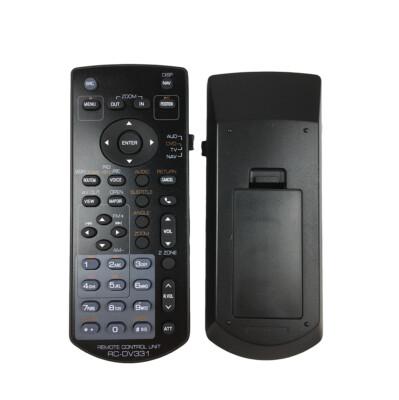
I already found and purchased 2 JVC Remotes and another one that is a inexpensive clone that'll probably work just as good as the JVC units so I have 3 remotes on the way....
 
Activity
No one is currently typing a reply...

About this thread

Rockrz

10+ year member
Junior Member
Thread starter
Rockrz
Joined
Location
Tyland
Start date
Participants
Who Replied
Replies
22
Views
1,577
Last reply date
Last reply from
Rockrz
IMG_20260516_193114554_HDR.jpg

sherbanater

    May 16, 2026
  • 0
  • 0
IMG_20260516_192955471_HDR.jpg

sherbanater

    May 16, 2026
  • 0
  • 0

New threads

Top