niuniucoming
Junior Member
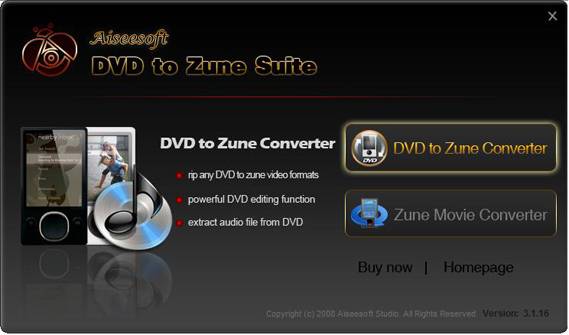
Put DVDs and videos to my Zune i prefer Aiseesoft DVD to Zune Suite. it includes Aiseesoft DVD to Zune Converter and Aiseesoft Zune Video Converter.
It can help you rip DVD, IFO and all video formats to Zune, Zune 2 MP4, WMV and Zune supported audio MP3, WMA, and AAC etc. with high speed and excellent quality. It can also convert audio files including MP3, MP2, AAC, AC3, WAV, MID, MIDI, WMA, M4A, RA, RAM to Zune MP3, WMA and AAC audio formats.
(1). Easy to use
Aiseesoft DVD to Zune Video Converter Suite is very user-friendly and easy to use. Only a few clicks to complete the conversion with supervising the whole process on real time.
(2). Professional function of audio converter
The best DVD to Zune Video Converter Suite could easily convert any audio such as MP3, MP2, AAC, AC3, WAV, MID, MIDI, WMA, M4A, RA, RAM to Zune WMA/MP3/AAC audio files with high speed and excellent sound quality.
(3). Convert DVD and any video/audio to Zune, Zune 2 video format
Aiseesoft DVD to Zune Video Converter Suite could easily convert DVD and any video such as MPG, MPEG, MPEG2, VOB, MP4, M4V, RM, RMVB, WMV, ASF, MKV, TS, MPV, AVI, 3GP, 3G2, FLV, MPV, MOD, TOD to WMV and MP4 video formats with excellent speed and quality.
(4). Merge multiple DVD chapters, titles or different videos files into one file
Just select the DVD chapters, titles or videos you want to join and check the “merge into one file” check box you can finish it easily.
(5). Cut any clip of video (Trim)
It provides “Trim” function to help you cut any clip from the original video
(6). Crop Video Size
Aiseesoft DVD to Zune Suite software allows you to remove black edge of your movie and get any playing area of the video by using its “Crop” function
(7). Capture your favorite image
Just click the “Snapshot” button the image will be saved and you can click the “Open” button next to “Snapshot” button to open your picture.
(8). Fastest Conversion Speed
Provide the fastest conversion speed (>300%), completely support dual core CPU.
(9). Support importing high definition formats, such as .m2ts.
Total Video Converter
Mod Video Converter
It can help you rip DVD, IFO and all video formats to Zune, Zune 2 MP4, WMV and Zune supported audio MP3, WMA, and AAC etc. with high speed and excellent quality. It can also convert audio files including MP3, MP2, AAC, AC3, WAV, MID, MIDI, WMA, M4A, RA, RAM to Zune MP3, WMA and AAC audio formats.
(1). Easy to use
Aiseesoft DVD to Zune Video Converter Suite is very user-friendly and easy to use. Only a few clicks to complete the conversion with supervising the whole process on real time.
(2). Professional function of audio converter
The best DVD to Zune Video Converter Suite could easily convert any audio such as MP3, MP2, AAC, AC3, WAV, MID, MIDI, WMA, M4A, RA, RAM to Zune WMA/MP3/AAC audio files with high speed and excellent sound quality.
(3). Convert DVD and any video/audio to Zune, Zune 2 video format
Aiseesoft DVD to Zune Video Converter Suite could easily convert DVD and any video such as MPG, MPEG, MPEG2, VOB, MP4, M4V, RM, RMVB, WMV, ASF, MKV, TS, MPV, AVI, 3GP, 3G2, FLV, MPV, MOD, TOD to WMV and MP4 video formats with excellent speed and quality.
(4). Merge multiple DVD chapters, titles or different videos files into one file
Just select the DVD chapters, titles or videos you want to join and check the “merge into one file” check box you can finish it easily.
(5). Cut any clip of video (Trim)
It provides “Trim” function to help you cut any clip from the original video
(6). Crop Video Size
Aiseesoft DVD to Zune Suite software allows you to remove black edge of your movie and get any playing area of the video by using its “Crop” function
(7). Capture your favorite image
Just click the “Snapshot” button the image will be saved and you can click the “Open” button next to “Snapshot” button to open your picture.
(8). Fastest Conversion Speed
Provide the fastest conversion speed (>300%), completely support dual core CPU.
(9). Support importing high definition formats, such as .m2ts.
Total Video Converter
Mod Video Converter