

alphakenny1
10+ year member
LOTUS FTW!
I was going to put this in the review section but if anyone had any questions about it, they can ask it on here. so here we go.
Most of this review will involve the ease of use of tuning the h701 through the w200.
I’d like to say this is probably the best purchase I’ve made thus far for the system. Installing the W200 was a breeze. I installed with the Pac TR-7 so I could tune while I drive, lol.
Just a quick note that I’m using the optical out, out of the w200 to the h701. This is the first time I’ve ever used a real external processor and I have to say I am really impressed with the h701. First off the tuning through the W200 is so easy. It’s pretty much self explanatory with conveniently listed menus. The only time I used the manual for the w200 was to find out how to access the H701. Everything after that is just self explanatory.
The menus main functions I use on the h701 are as follows:
Setting the speakers
As you know the h701 has 4 sets of preouts: Front1 (tweeter), Front2, Rear, Center/Sub. Each set you can turn it On or off. With the sub you can also choose stereo/mono.
Xover Adjustment
Here’s where the fun begins. On each set of preouts you can bandpass each set. All but the “Front1” can be crossed anywhere between 20hz to 18khz at 1/6 octave steps. “Front1” can be crossed from 1-18khz at 1/6 octave steps. The crossover slopes are Off,6,12,18,24,and 30db per octave. Also a neat thing about it is that you can adjust the level for the crossovers. Here is a picture of the crossover menu for one set of preouts.
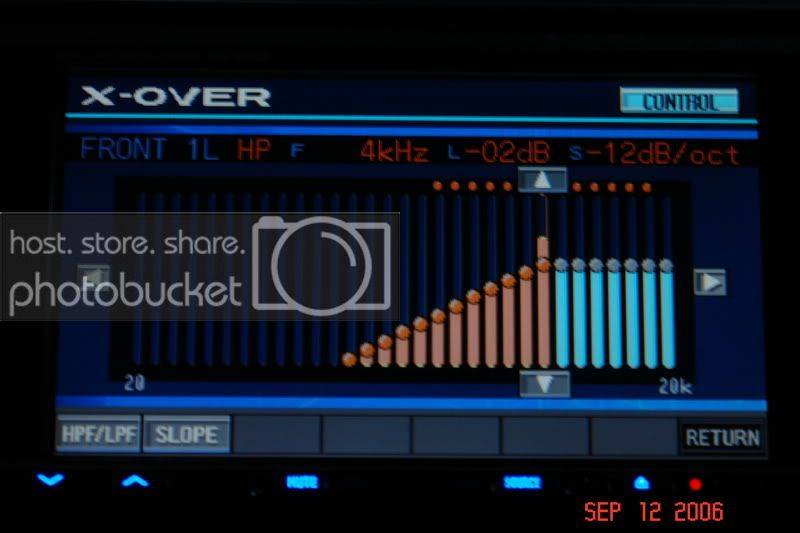
Notice that at the decibel level is at -2db. I can move that up and down if need be. I thought that was kind of neat.
Here is also the xover tab on the menu. Notice I can either choose to have my crossovers set for both speakers (L+R) or have crossover settings for each individual speaker (L/R).
My only gripe with the xover menu is that when adjusting slopes you have to either ascending or descending order. Meaning let’s say I start at 0db/oct or off. Then go up to 6, 12,18 and stop at 24. Well if I wanted to go back to 12db, I have to go from 24 to 30, back to 24, then to 18 then to 12. I don’t have the choice to go down from 24 to 12 directly.
Time Correction
This is pretty much self explanatory. You can choose here either to separately time align a speaker or time align a set of preouts. Nothing much to say here.
I do not like the lag time on this. But whatever works.
Graphic EQ
Again here you can either choose to have a 31 band graphic eq. dedicated to each speaker or have a 31band graphic eq dedicated to the “Front” and “Rear.” The subwoofer I believe has a 10 band graphic eq. Overall its not too bad using the graphic eq. but one thing is you need to have to some thin fingers to precisely go through the graphic eq menu. Here’s a pic of the graphic eq:
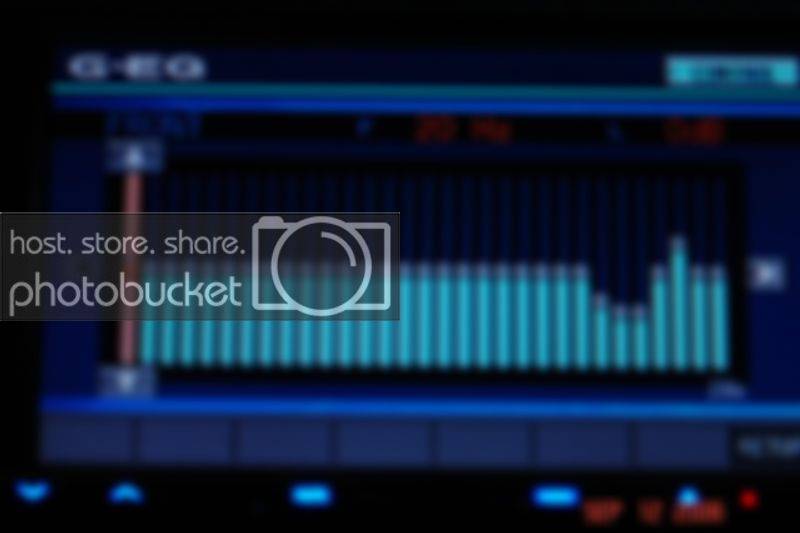
As you can see there are 31 bands in which in this picture it starts off at 20hz. So the PITA part is what if you want to adjust 2khz. Well you gotta push in the 2khz zone but if you want to keep it at 0db when choosing 2khz, you have to have your finger lie on the flat area. Anywhere else, 2khz will be adjusted either up or down depending on where you push on 2khz. Also as I said you need thin fingers to be precise. If you go for 2khz, sometimes you’ll accidentally press 1.6khz and most likely adjusting that frequency along the way. Then you got to adjust 1.6khz back to normal and then go on choosing 2khz.
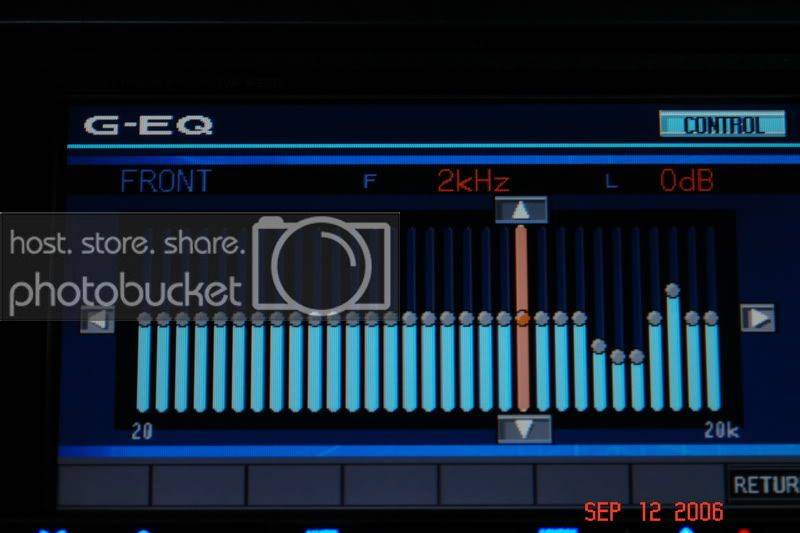
Another way to go to the frequency is to manually go to that frequency via the buttons on the sides, but going from 20hz to 2khz would be a real PITA.
That’s all for my review right now. If I find anything else worth noting, I’ll definitely let you guys know! Oh btw, if you are considering this combo or the 310, gotta get the pac-tr7 FTW!
Most of this review will involve the ease of use of tuning the h701 through the w200.
I’d like to say this is probably the best purchase I’ve made thus far for the system. Installing the W200 was a breeze. I installed with the Pac TR-7 so I could tune while I drive, lol.
Just a quick note that I’m using the optical out, out of the w200 to the h701. This is the first time I’ve ever used a real external processor and I have to say I am really impressed with the h701. First off the tuning through the W200 is so easy. It’s pretty much self explanatory with conveniently listed menus. The only time I used the manual for the w200 was to find out how to access the H701. Everything after that is just self explanatory.
The menus main functions I use on the h701 are as follows:
Setting the speakers
As you know the h701 has 4 sets of preouts: Front1 (tweeter), Front2, Rear, Center/Sub. Each set you can turn it On or off. With the sub you can also choose stereo/mono.
Xover Adjustment
Here’s where the fun begins. On each set of preouts you can bandpass each set. All but the “Front1” can be crossed anywhere between 20hz to 18khz at 1/6 octave steps. “Front1” can be crossed from 1-18khz at 1/6 octave steps. The crossover slopes are Off,6,12,18,24,and 30db per octave. Also a neat thing about it is that you can adjust the level for the crossovers. Here is a picture of the crossover menu for one set of preouts.
Notice that at the decibel level is at -2db. I can move that up and down if need be. I thought that was kind of neat.
Here is also the xover tab on the menu. Notice I can either choose to have my crossovers set for both speakers (L+R) or have crossover settings for each individual speaker (L/R).
My only gripe with the xover menu is that when adjusting slopes you have to either ascending or descending order. Meaning let’s say I start at 0db/oct or off. Then go up to 6, 12,18 and stop at 24. Well if I wanted to go back to 12db, I have to go from 24 to 30, back to 24, then to 18 then to 12. I don’t have the choice to go down from 24 to 12 directly.
Time Correction
This is pretty much self explanatory. You can choose here either to separately time align a speaker or time align a set of preouts. Nothing much to say here.
I do not like the lag time on this. But whatever works.
Graphic EQ
Again here you can either choose to have a 31 band graphic eq. dedicated to each speaker or have a 31band graphic eq dedicated to the “Front” and “Rear.” The subwoofer I believe has a 10 band graphic eq. Overall its not too bad using the graphic eq. but one thing is you need to have to some thin fingers to precisely go through the graphic eq menu. Here’s a pic of the graphic eq:
As you can see there are 31 bands in which in this picture it starts off at 20hz. So the PITA part is what if you want to adjust 2khz. Well you gotta push in the 2khz zone but if you want to keep it at 0db when choosing 2khz, you have to have your finger lie on the flat area. Anywhere else, 2khz will be adjusted either up or down depending on where you push on 2khz. Also as I said you need thin fingers to be precise. If you go for 2khz, sometimes you’ll accidentally press 1.6khz and most likely adjusting that frequency along the way. Then you got to adjust 1.6khz back to normal and then go on choosing 2khz.
Another way to go to the frequency is to manually go to that frequency via the buttons on the sides, but going from 20hz to 2khz would be a real PITA.
That’s all for my review right now. If I find anything else worth noting, I’ll definitely let you guys know! Oh btw, if you are considering this combo or the 310, gotta get the pac-tr7 FTW!





