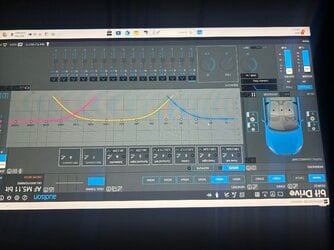
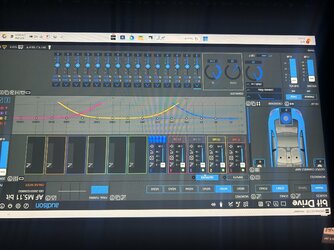
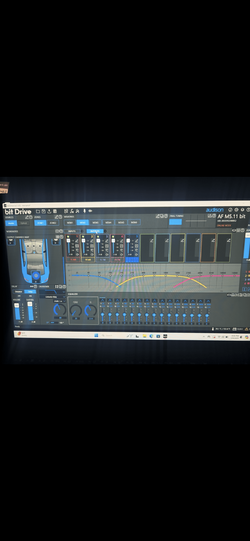
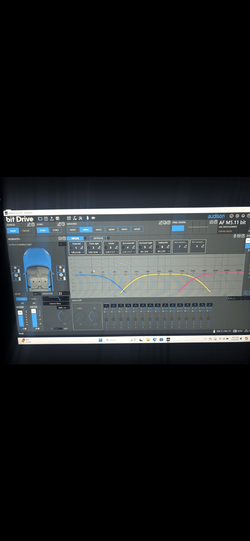
Hi.
I have amp above. I don’t understand why sub channel isn’t working. It’s on the sub channel 1 input is on 1 and 2.
What channel is the sub channel on in the software? I want to pull signal from input 1. Everything else is working.
I know this is something stupid I just can’t figure it out.
It looks like you're working with an audio software interface to manage your subwoofer setup. Here are a few things to check:
1. **Input Configuration**: Ensure that your sub channel in the software is set correctly to receive the signal from Input 1. You might need to select Input 1 as the source for the sub channel.
2. **Channel Assignment**: Check that the sub channel is properly assigned in the software. In many commercial audio software interfaces, channels are listed as outputs or inputs, and you would want to double-check that your sub channel corresponds to the correct source signal.
3. **Crossovers and Filters**: Look at the crossover settings—ensure that the frequencies set for the sub channel do not completely filter out the signal from Input 1. Make sure the low-frequency cut-off is set to allow the desired bass frequencies to pass through.
4. **Gain Levels**: Ensure that the gain levels for Input 1 and the sub channel are appropriately set—if they're too low, the audio from Input 1 may just not be audible.
5. **Speaker Configuration**: If you have multiple speakers or channels, double-check that the subwoofer is correctly wired and powered.
6. **Software Settings**: Finally, if your software has a device settings menu, verify that the input and output configurations are correct for your specific hardware.
If you've checked everything and it's still not working, consider restarting the software or your system. Sometimes a simple reset can resolve glitches. If you have more specific details about your amplifier model or adjustments you've made, feel free to share!