Can't select music when connected to ipod w/ Kenwood KDC-X792 / KDC-MP738U

The Syntax

Junior Member
2
0
az
I just had a Kenwood KDC-X792 / KDC-MP738U installed today and I can play music from my ipod (80GB ipod video w/ the latest firmware updates), I can seek tracks by pressing the control (right) knob left and right, however, I can't access the artist/album selection menu by pressing up on the control knob.

Demo mode is off.

The manual says the "ipod mode" function has to be on, which it is.

It says to push up on the control knob to select music like you would using an ipod, but when I press up nothing happens.

So, the only way I can change albums or artists is to unplug the ipod, select the music I want, and then plug it back in, which really sucks.

Any ideas?

Thanks.

 
That is strange.

I know for me, when I had the x-492 direct connect iPod, I had to select the songs from my iPod and then plug it in, but you have the actual iPod adapter, so it should work. Maybe a faulty iPod adapter or they didn't plug something in right? Try taking it back to them and see if they can get it to work?

 
With the KenWood iPod connector, you HAVE to disconnect the cable from the iPod, select your music, then plug it back in. The KenWood allows you to select the songs on the selected album from the deck. But, it wont allow you to change the albums.

 
With the KenWood iPod connector, you HAVE to disconnect the cable from the iPod, select your music, then plug it back in. The KenWood allows you to select the songs on the selected album from the deck. But, it wont allow you to change the albums.
I think you're mistaken because in the manual for the Kenwood ipod connector it specifically lists my ipod as one in which you can, "select music in a manner similar to that of the ipod."

Regardless I also hooked up a non-kenwood ipod connector and I still have the problem.

Also, in the KDC-X792 manual it also talks about being able to select music similar to an ipod by pressing up on the control knob.

EDIT:

I just used a 3rd generation ipod nano and it worked fine, with either the kenwood or apple connector.

So it seems like it's my ipod, which is strange, because it is a 5th generation video, which is listed as a compatible ipod.

EXTRA EDIT:

I just used a newer 5th gen video ipod and it also worked fine. So it seems like my ipod is the problem. I just wish I knew what that problem was.

 
Do you want to put your dvd movies on your iPod?

Do you want to put your videos on your iPod?

Do you want to backup your iPod songs and videos on your computer?

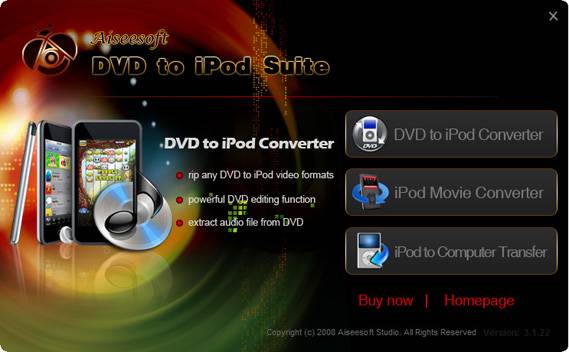
Use Aiseesoft DVD to iPod Suite.

It includes

a Aiseesoft DVD to iPod Covnerter

a Aiseesoft iPod Movie Converter

a Aiseesoft iPod to Coumputer Transfer

Free download: http://www.aiseesoft.com/downloads/dvd-to-ipod-suite.exe

dvd-to-ipod-suite-new.jpg


1. Convert DVD to iPod and any video/audio to MP4/H.264

It could easily convert DVD to iPod Touch and video/audio files to MP4, H.264, MP3, M4A, AAC with excellent speed and quality.

2. Professional function of audio converter

It can convert MP3, MP2, AAC, AC3, WAV, MID, MIDI, WMA, M4A, RA, RAM to iPod M4A/AAC/MP3 audio files.

3. Transfer music and video from iPod to computer

It can transfer songs from iPod to computer. And help you backup iPod video/audio files to PC, then you could transfer the video/music to another iPod or iPhone.

4. Easy and powerful editing function (Merge, Trim, Crop)

It offers powerful editing functions such as merging multiple DVD chapters, titles or different videos files into one file, trimming any clip of video or DVD, cropping video size and so forth.

 
try reformatting and re setting the ipod and let it sync all the music back again then see if it works
Thanks for the tip. I tried this, but the function is still not working. The only way to select a new folder is to turn the knob, which brings me back to the "top root" menu of playlists, artists, albums, genres, songs, etc., instead of the folder that I am currently listening to music from.

hey i have a kdcx592took me a few days to figure it out but turn off the Randomize song/folder setting on the HU

then you should be able to choose and scroll through the ipod
I noticed this as well, which is kind of odd.

 
Activity
No one is currently typing a reply...
Old Thread: Please note, there have been no replies in this thread for over 3 years!
Content in this thread may no longer be relevant.
Perhaps it would be better to start a new thread instead.

About this thread

The Syntax

Junior Member
Thread starter
The Syntax
Joined
Location
az
Start date
Participants
Who Replied
Replies
9
Views
5,492
Last reply date
Last reply from
Jbagger
1781975538525.png

Doxquzme

    Jun 20, 2026
  • 0
  • 0
1781975510897.png

Doxquzme

    Jun 20, 2026
  • 0
  • 0

New threads

Top